Index Bloat
Pages that hurt more than they help: thin, duplicated, or getting no traffic at all.
In appWorkspacesIndex Bloat
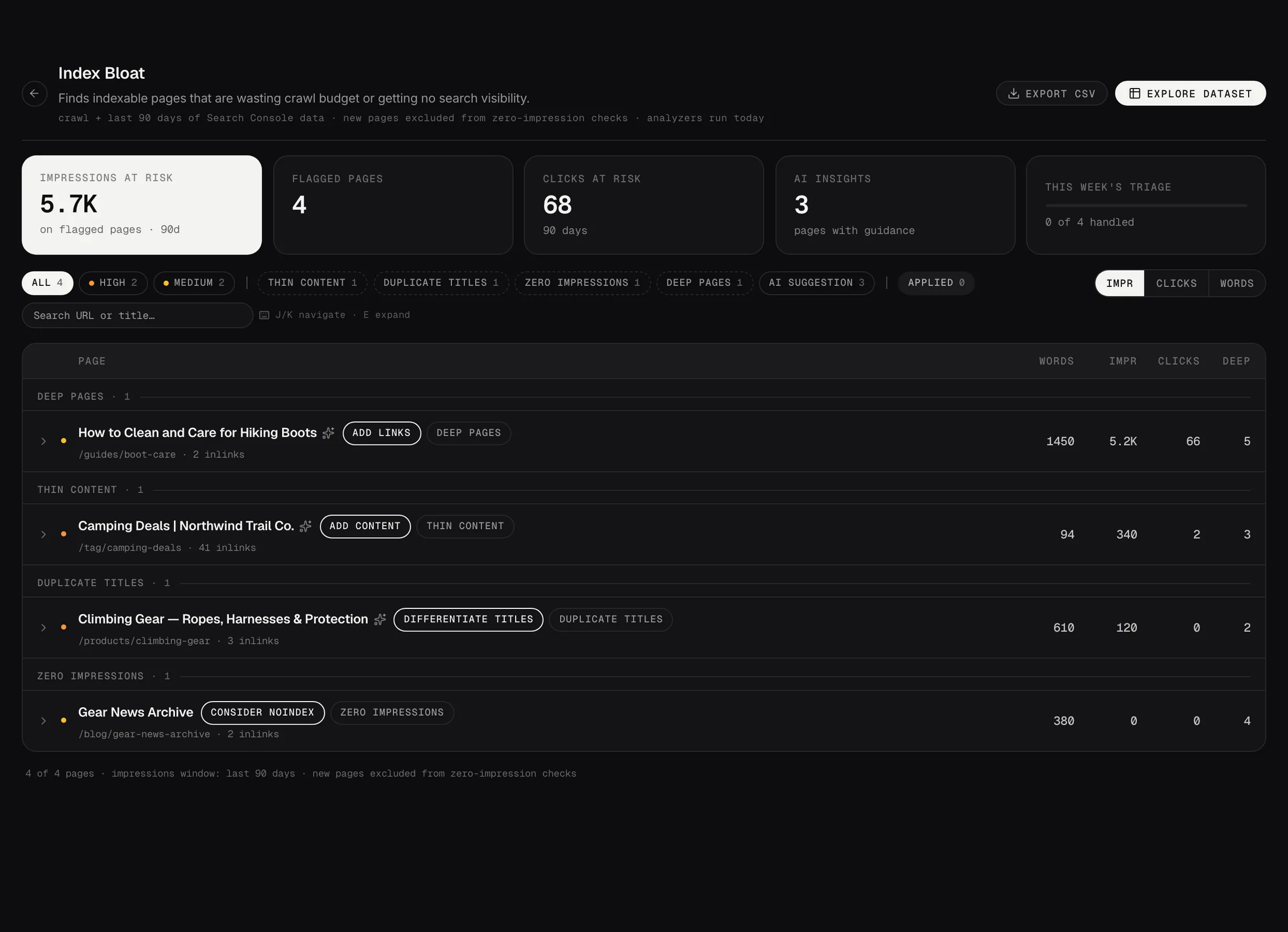
Index Bloat: indexable pages wasting crawl budget or getting no search visibility.
Demo dataWhat the list shows
Pages Google has indexed that aren't doing anything for you. Thin pages, near duplicates, orphans with no internal links pointing at them, and pages that have had no clicks for a long stretch.
Each one is flagged with why it's here, and the worst are at the top.
Prune, consolidate or strengthen
Those are the three outcomes, and the recommendation on each finding says which one it thinks applies. A thin page on a topic you care about is usually worth strengthening; three near-identical pages usually want consolidating into one.
Removing pages feels drastic and often isn't. A page nobody reads and nothing links to still takes up crawl budget, and it dilutes the pages that do work.
What to do with it
Create brief sends the page to Content Studio pre-filled, which is the route when the answer is to strengthen it.
Ask Advisor sends it to your Strategist with its full context, which is worth doing before you delete anything.
Working a finding
Open any finding and you can take it somewhere else without retyping it. Ask Advisor opens the Strategic Advisor with that finding and its full context already loaded, so you can ask why it matters or what to do first and get an answer using your own numbers. Create brief (or Rebuild in Studio) opens a Content Studio session for the page, pre-filled the same way.
Both carry the finding with them. You're not starting a conversation or a brief from nothing, which is the whole point of launching them from here rather than opening the Strategic Advisor or Content Studio cold.
Most findings also carry an AI Playbook: a written recommendation for that specific page. Some are generated automatically after a run, the rest are generated when you ask. You can also tick several rows and generate advice for all of them in one go, with the cost shown before anything runs. How many are written automatically is the Auto-generate for top setting in that analyzer's Configure panel, and zero means they're only written on request.
Mark applied does more than tick it off. The page joins Impact Tracking in Command Center, which then follows its clicks, impressions and position from that date onward, so you can see what happened after the change.
Getting rid of one you don't want
Ignore on any finding hides it. It leaves the queue and moves to the Ignored pill in the filter rail, where Restore puts it back, so nothing is destroyed. The Ignored pill only appears once you've ignored something.
Ignoring handles one finding. If the same pages keep coming back, add them to Excluded pages in Settings, under Data Pipeline: find Index Bloat in the analyzer list and click Configure. One pattern per line, * as a wildcard, and plain text matches anywhere in the URL. Matching pages stop becoming findings from the next run.
That's the difference worth knowing: ignoring hides one finding, excluding a page stops future findings for it. Tag pages, author archives and paginated listings are the usual candidates.