Reporting
Client-ready reports written from your live data.
In appInstrumentsReporting
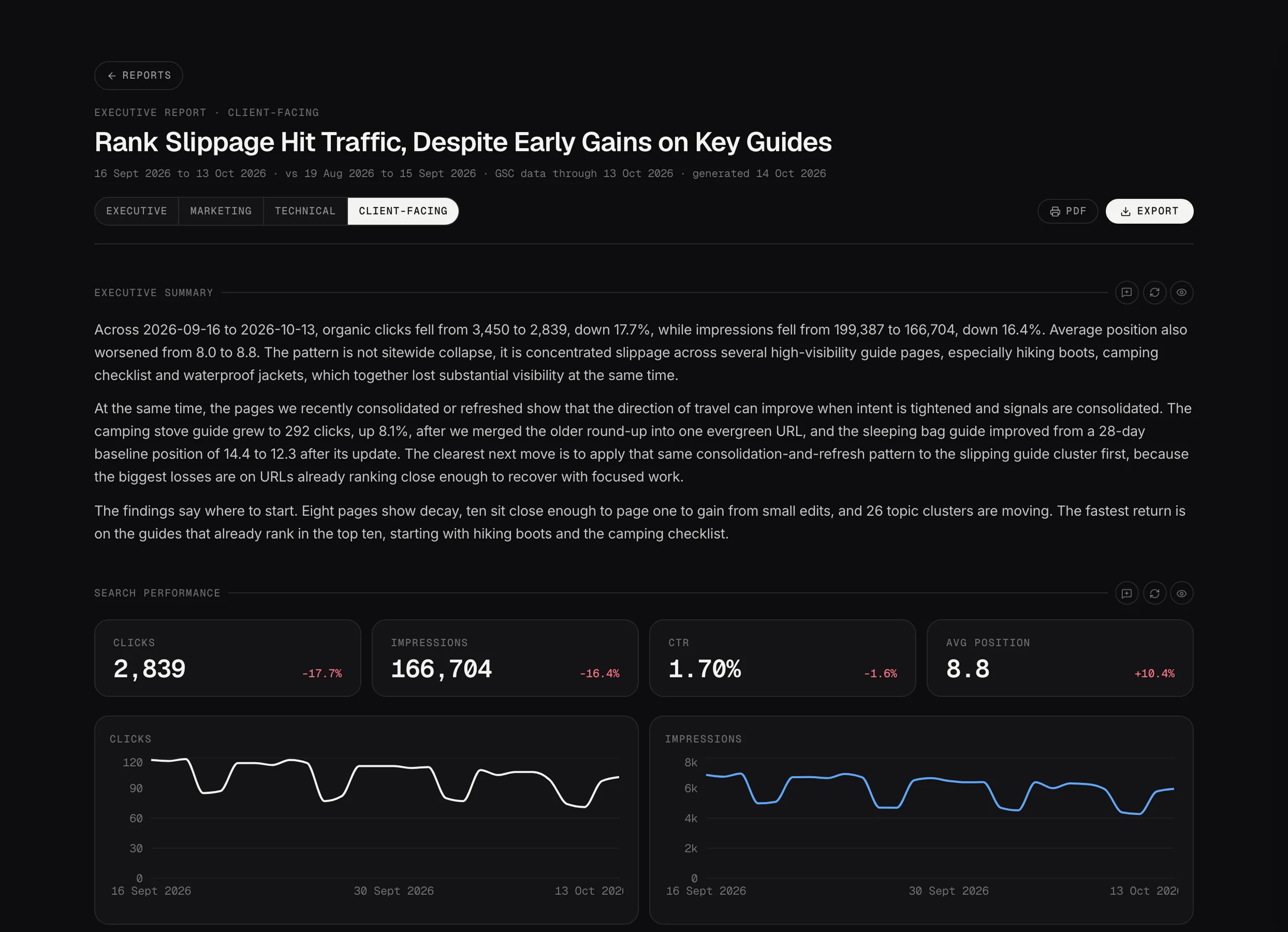
A finished report: the summary in plain language, with the numbers underneath.
Demo dataComposing one
The rail on the left shapes what gets written, and the paper preview on the right updates as you go, so you're never guessing what you'll end up with.
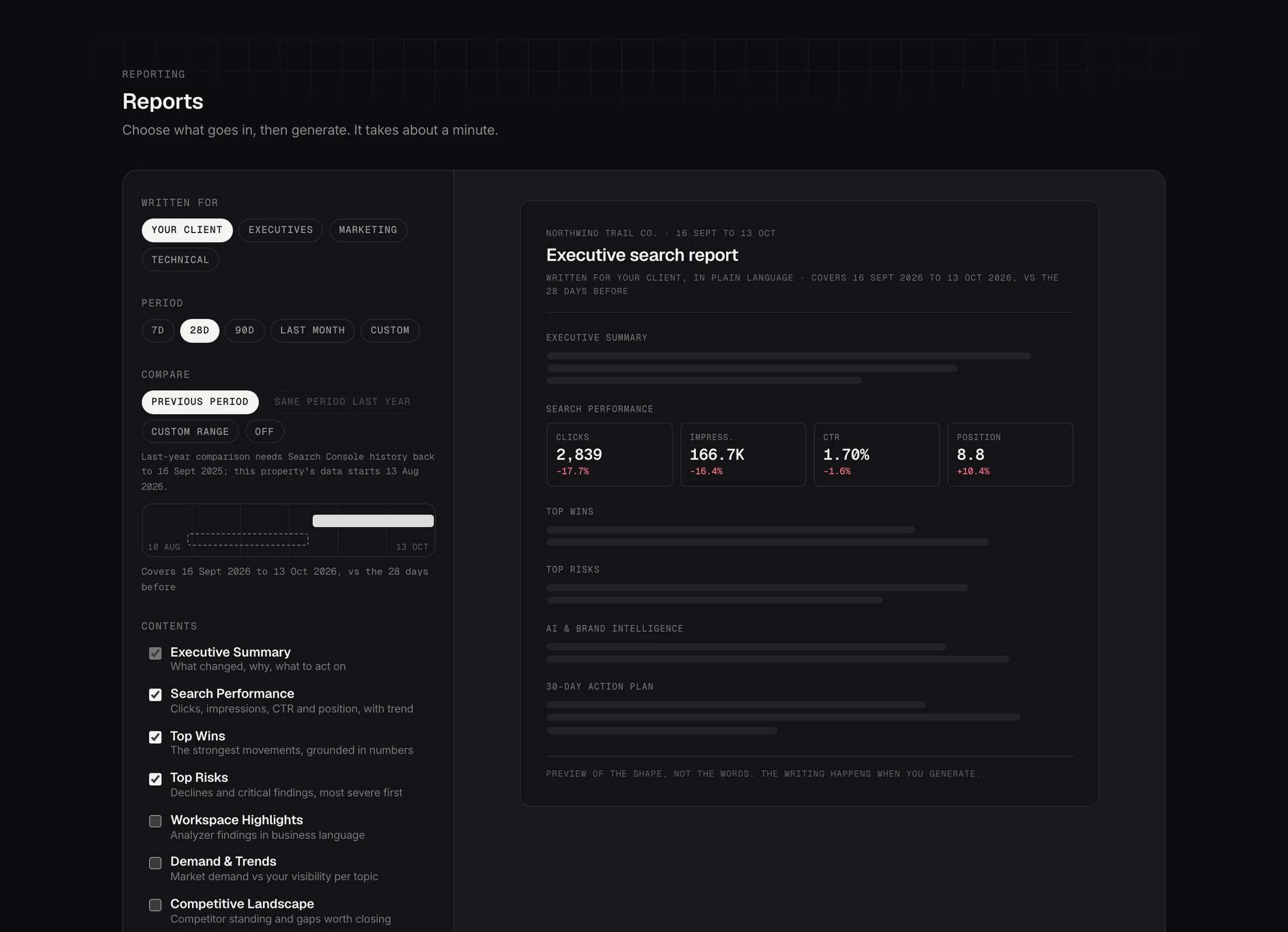
Composing a report: who it's for, the period, the comparison and the sections.
Demo dataThe four decisions
Written for picks the voice and the default sections: a client report leads with outcomes, an internal one keeps the detail. You can still add or drop sections after.
The period is the window it covers. Compared against is what the numbers are measured against: the previous period, the same period last year, custom dates, or nothing at all.
Contents is the section list. Each one is written from your own data: performance, wins, risks, workspace findings, AI visibility, and an action plan.
Generating
About a minute, and you watch each section get written. The finished report exports as a styled document, a deck or a workbook.