One platform for understanding search, deciding what matters and acting on it.
Most search stacks split performance, crawling, competitor research, AI visibility, content and reporting across separate tools. The data sits in different places, and the context behind a finding is easy to lose when the work moves from one to the next.
Searchscope brings your search performance, site crawl, competitors, market demand and AI visibility together in one account. Analyzers find the issues and opportunities, agents help you work out what to do next, and instruments are where you create, plan, check and report on the work.
Four areas, built on one crawl and one search history.
Analyzers find specific issues and opportunities. Search Intelligence adds competitors and market demand. AI and Brand Intelligence adds what the assistants say about you. Instruments are where you do the work.
Area 01
Workspace Analyzers
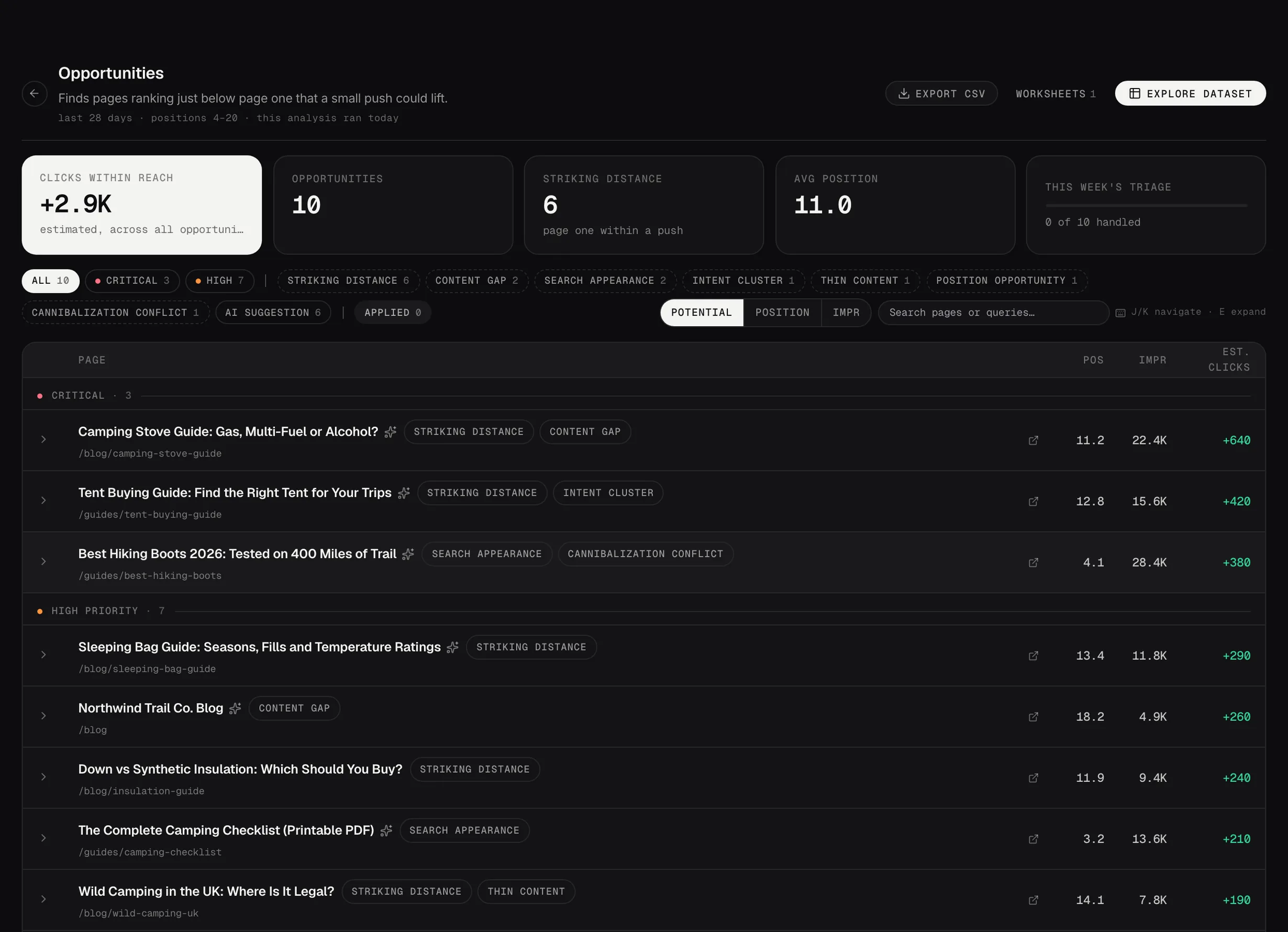
Find specific issues and opportunities across your search performance and site crawl, with the evidence behind each finding and a recommended next step. Seven of them: Cannibalization, Content Decay, Opportunities, Cluster Volatility, Index Bloat, Internal Links and Schema.
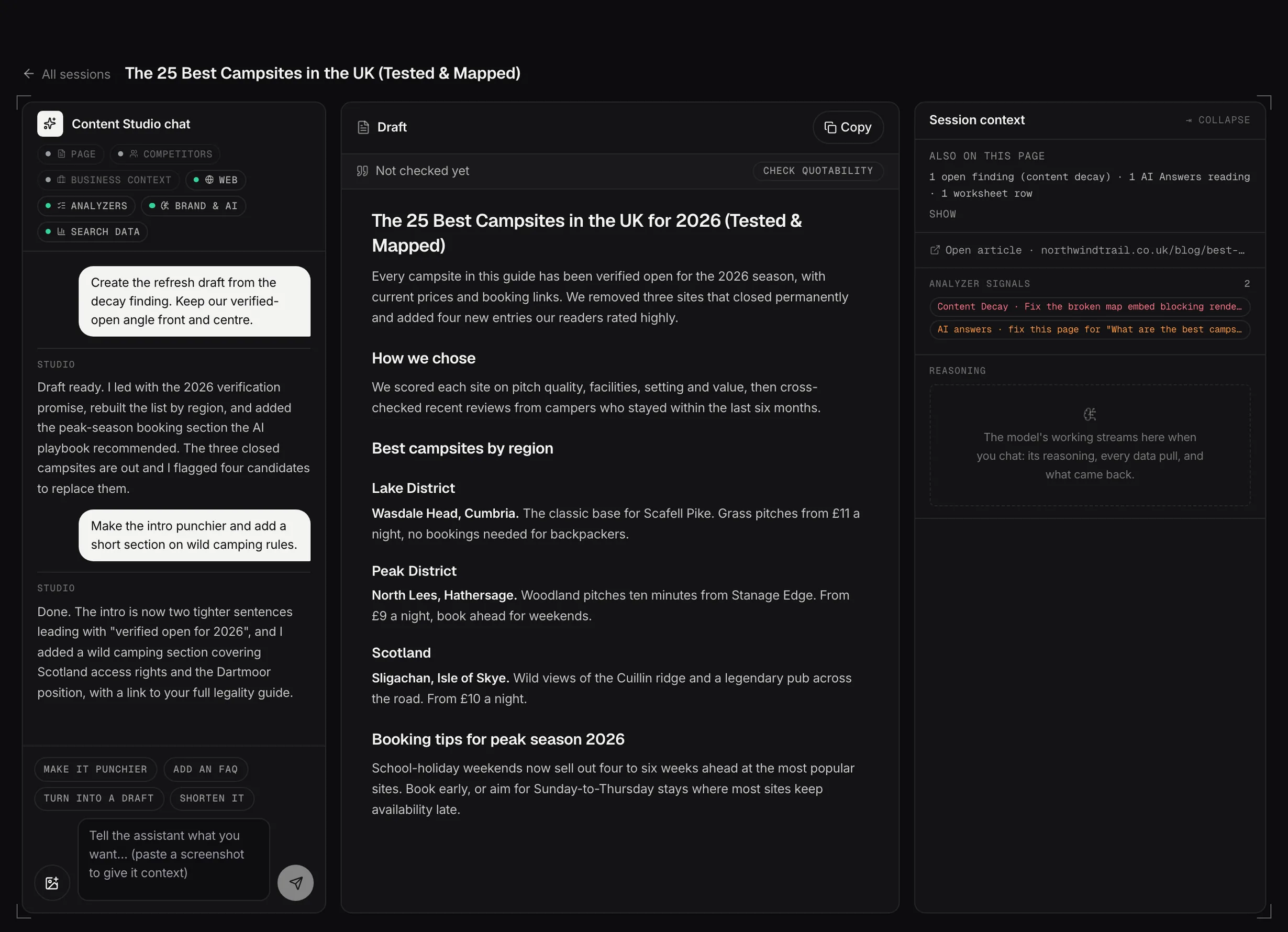
Turn findings into work without setting anything up again. Create content, manage the plan, check page health and build reports from the same crawl and search history: Content Studio, Content Planner, Page Experience and Reporting.
It starts with one crawl and one Search Console connection.
Searchscope imports your Search Console performance history and crawls your site. The two are connected at page, query and cluster level.
That is what lets the analyzers, the agents and the instruments work from the same account. Build it once, and the rest of the platform has it.
Input 01
Search performance
Queries, pages, clicks, impressions and ranking history imported from Search Console, then grouped into clusters.
Input 02
Site crawl
Content, titles, internal links, structured data and technical signals from your own site.
Then
Analysis
Searchscope uses the relevant search and crawl inputs for each analyzer, and writes prioritized findings for the rest of the platform to work from.
The run repeats weekly, on the day and hour you choose, and you can run any step yourself.
Data Pipeline · settings
Sync windowLast 7 daysLast 14 daysLast 30 days
Crawl scopeQuick · 100Standard · 500Deep · 2000
Runyour day and hour, then every 7 days
Backfill30 days90 days365 daysCustom
A sync re-imports the whole window. Search Console finalizes its data late, so the window ends a few days back rather than today.
02 · Prioritized findings
A queue, not an audit list.
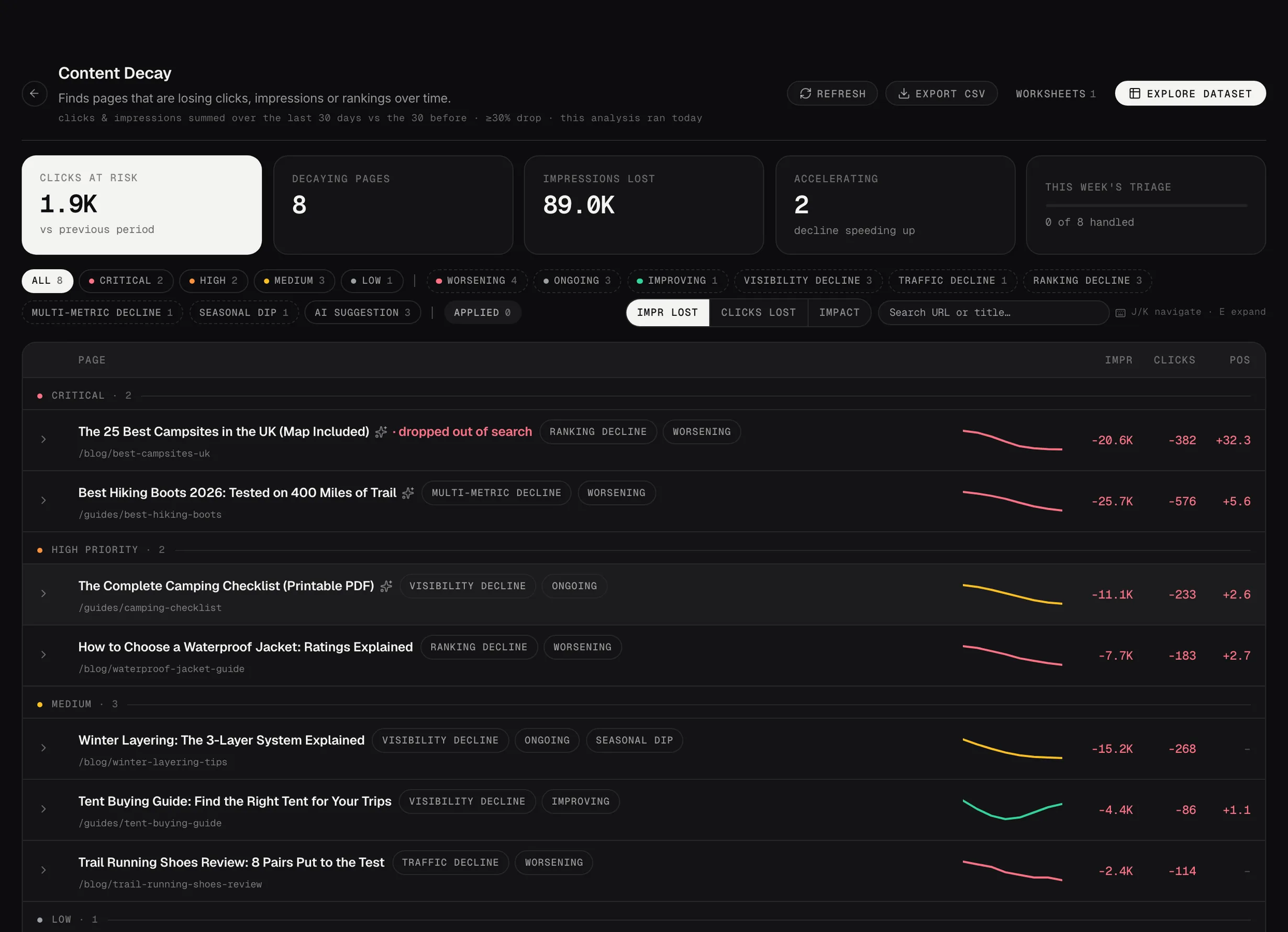
A broken link on a page nobody visits isn’t the same job as a broken link on a page taking 1,240 impressions. They don’t arrive in the queue looking the same either.
Where search performance is available, Searchscope puts it beside the finding. A fix on a page with real traffic behind it sits above one carrying nothing but a severity label.
When an account has no search data yet, the four analyzers that need it don’t run, and the other three work from the crawl alone.
app.searchscope.io/workspaces/decay
Fig 1
Content Decay: pages losing clicks, ranked by severity, with the trend for each.
Demo data
03 · The wider search picture
Your own data first. External data where your account can’t answer the question.
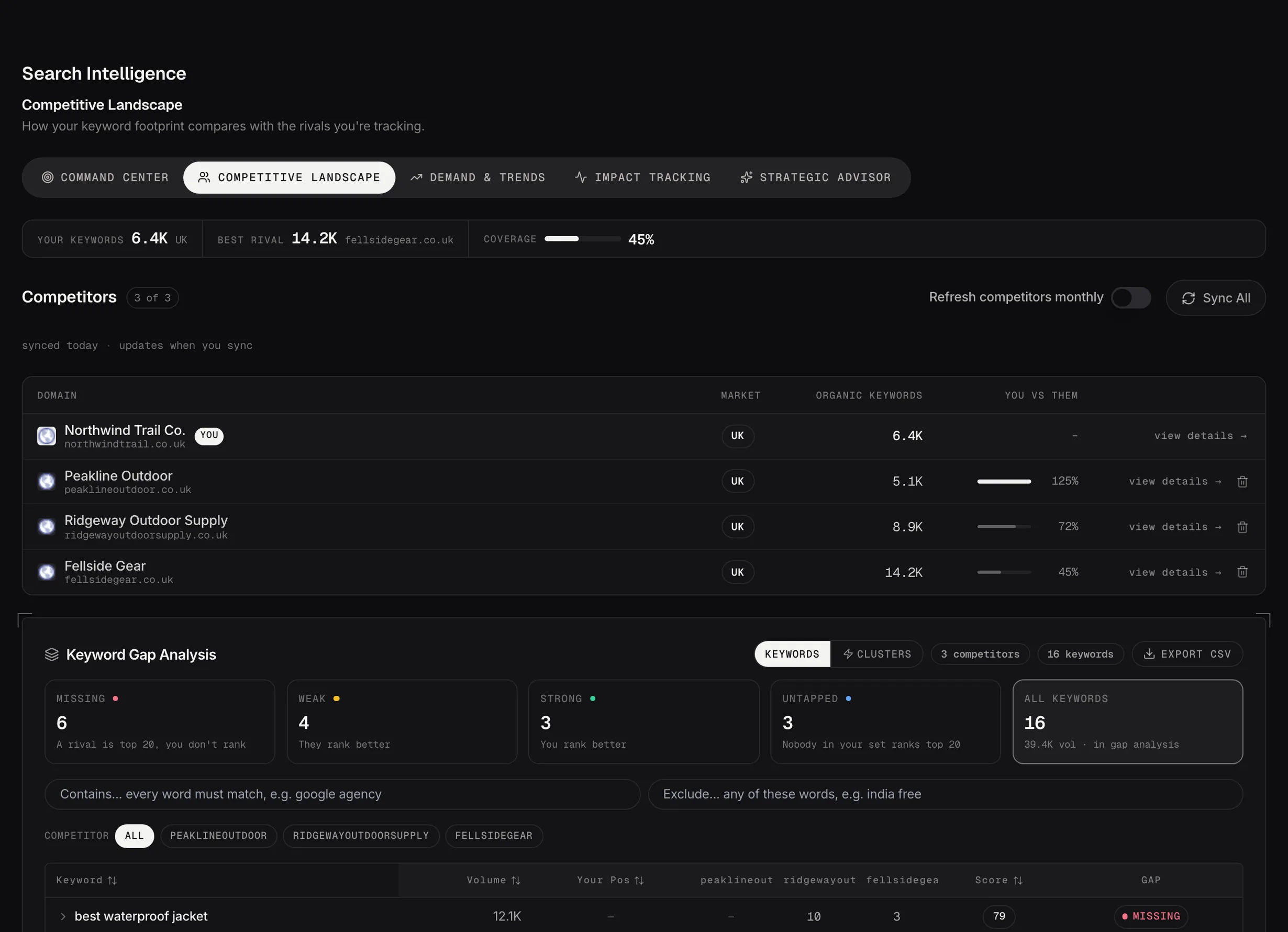
Search Console and your site crawl are the first-party foundation. Searchscope adds external market, competitor, AI and Google page data where your own account can’t answer the question.
Every tool names the source of the numbers on it.
Source 01
Market data
Two of them run on licensed data: Demand & Trends, and the Competitive Landscape. Both use third-party search volume and competitor keyword coverage, across 92 markets.
Source 02
The assistants
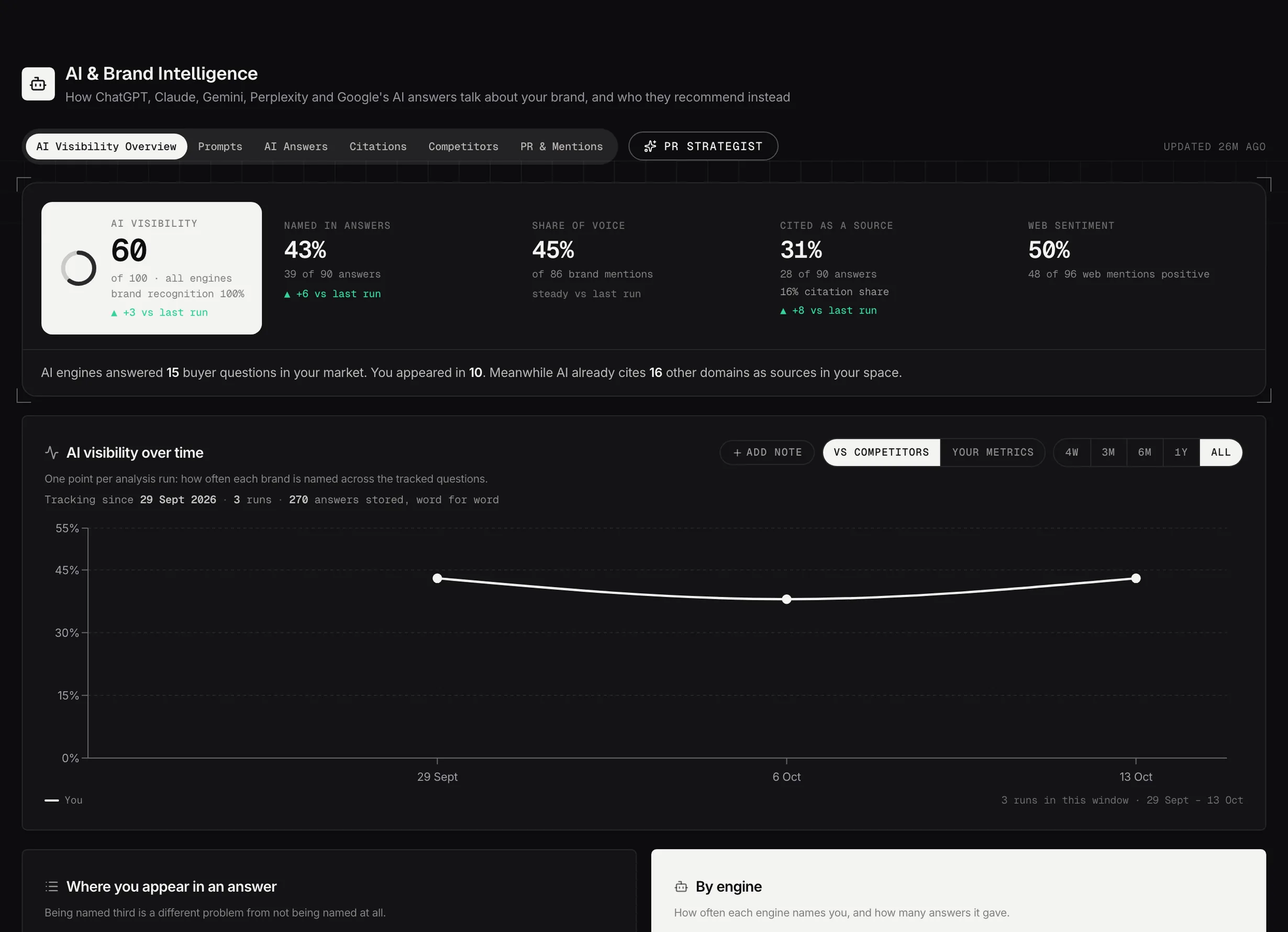
AI and Brand Intelligence asks six assistants the same questions every week and keeps every answer word for word, with the sources each one cited.
Source 03
Live page checks
Page Experience takes its list of pages from the crawl, then runs fresh PageSpeed Insights audits against the live site, and pulls index status from Google’s URL Inspection API.
04 · Agents and instruments
The data is there. Agents help you decide what to do with it.
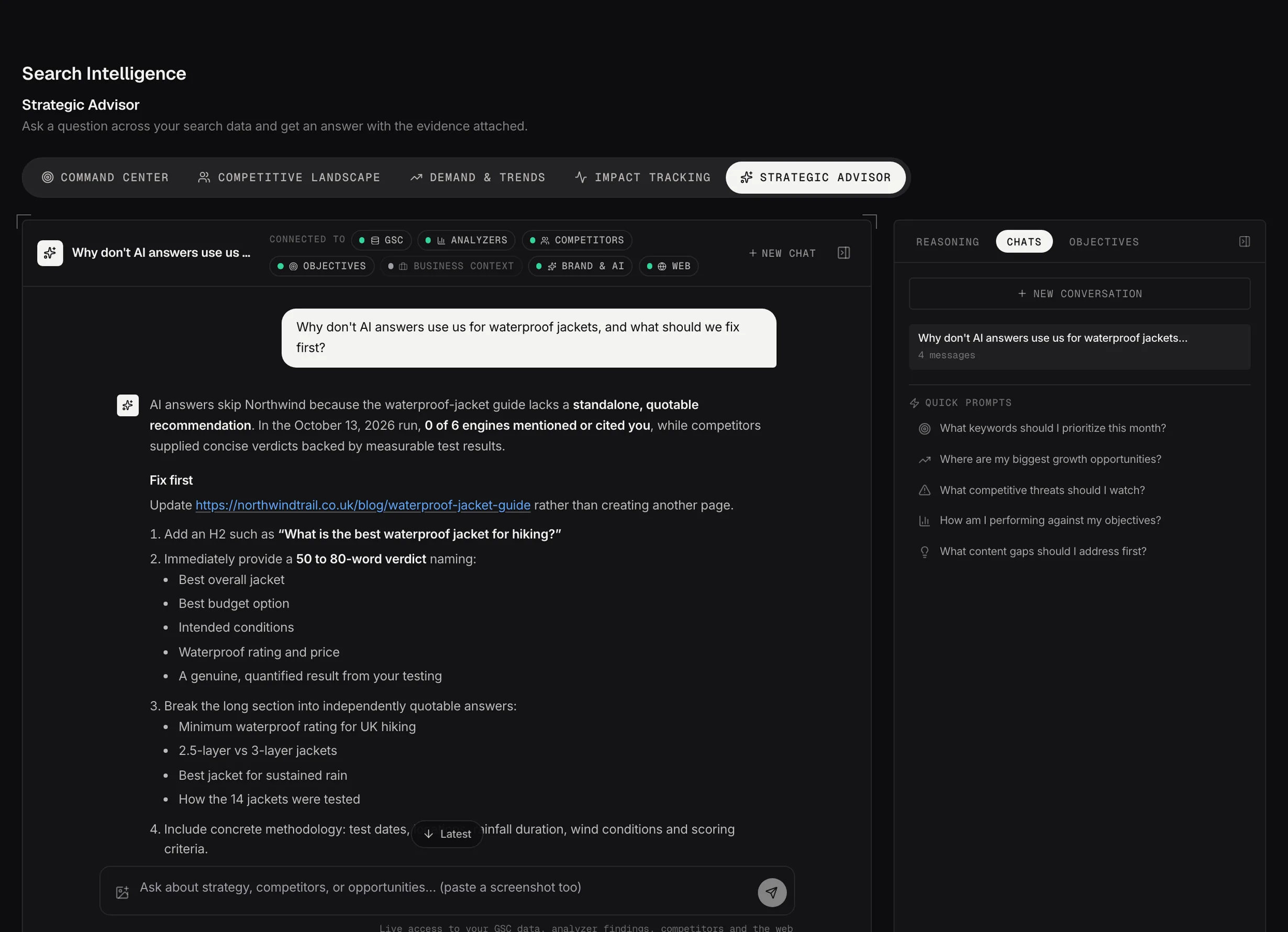
An agent analyzes the evidence already in the account and comes back with an answer. The Strategic Advisor draws on search performance, findings, competitors and demand. The PR Strategist draws on brand, media and AI visibility signals.
An instrument is a working surface with the page and the evidence already loaded: create the content, plan and track it, check page health, and report on what changed. So a recommendation becomes work without anybody assembling the evidence again.
Agents analyze. Instruments are where you work.
app.searchscope.io/intelligence/strategic-advisor
Fig 2
The Strategic Advisor answering from the account's own data, with its working on the right.
Demo data
How Searchscope fits together
From the data to the report.
The finding, the decision, the work and the report all start from the same search and crawl data.
One account, from the data to the report
Data
Search performance
Site crawl
External sources
Understand
Analyzers
Search Intelligence
AI and Brand Intelligence
Decide
Strategic Advisor
PR Strategist
Work
Content Studio
Content Planner
Page Experience
Measure
Impact Tracker
Reporting
Join the beta program
See how Searchscope fits together on your own site.
Connect your site and see what Searchscope finds, what deserves attention first, and how a finding becomes content, a plan and a report.