Seven analyzers. One queue you can finish.
Most audit tools hand you hundreds of issues and leave you to work out which ones matter.
Searchscope filters and prioritizes findings before they reach your queue, using your search performance and business context to focus attention on what’s most likely to matter. The analyzers run automatically on a schedule, so you can spot important changes without repeatedly running the same checks yourself.
-
Cannibalization
/guides/best-hiking-boots vs /blog/hiking-boots-review +170 clicks -
Content Decay
/blog/best-campsites-uk 382 clicks lost -
Thin page
/tags/waterproof suppressed -
Schema
FAQ missing on /guides/camping-checklist +94 clicks -
Duplicate title
/blog/page/7 suppressed
Prioritized by potential impact23 of 412
Seven analyzers. One consistent workflow.
Every analyzer works from the same core inputs: a full site crawl, your Search Console history and the business context you provide. They look for different problems and opportunities, but present the findings the same way, so your team always knows what to review and what to do next.
- Prioritized findingsFindings are scored against your objectives, search performance and important pages, so the issues most worth reviewing appear first.
- EvidenceSee the pages, queries and performance data behind each finding, so you can understand why it's been flagged.
- Recommended actionSee what Searchscope recommends doing next, not just what it found.
- Create a briefSend a finding into Content Studio with the relevant SERP data and ranking competitors already included.
- Ask the Strategic AdvisorOpen the Strategic Advisor on any finding with your crawl data, search performance, competitive landscape, analyzer findings and business context already available.
- Potential impactWhere available, findings carry a potential click opportunity and an impact grade, helping you focus on the work most likely to make a meaningful difference.
- Seasonality detectionSearchscope identifies patterns that repeat each year, helping you separate normal seasonal movement from a genuine decline. Seasonal findings can also be hidden from the active queue.
- Apply or ignoreMark a finding as applied or ignored to keep the active queue focused. Searchscope keeps a record of what changed and when.
What each one looks for.
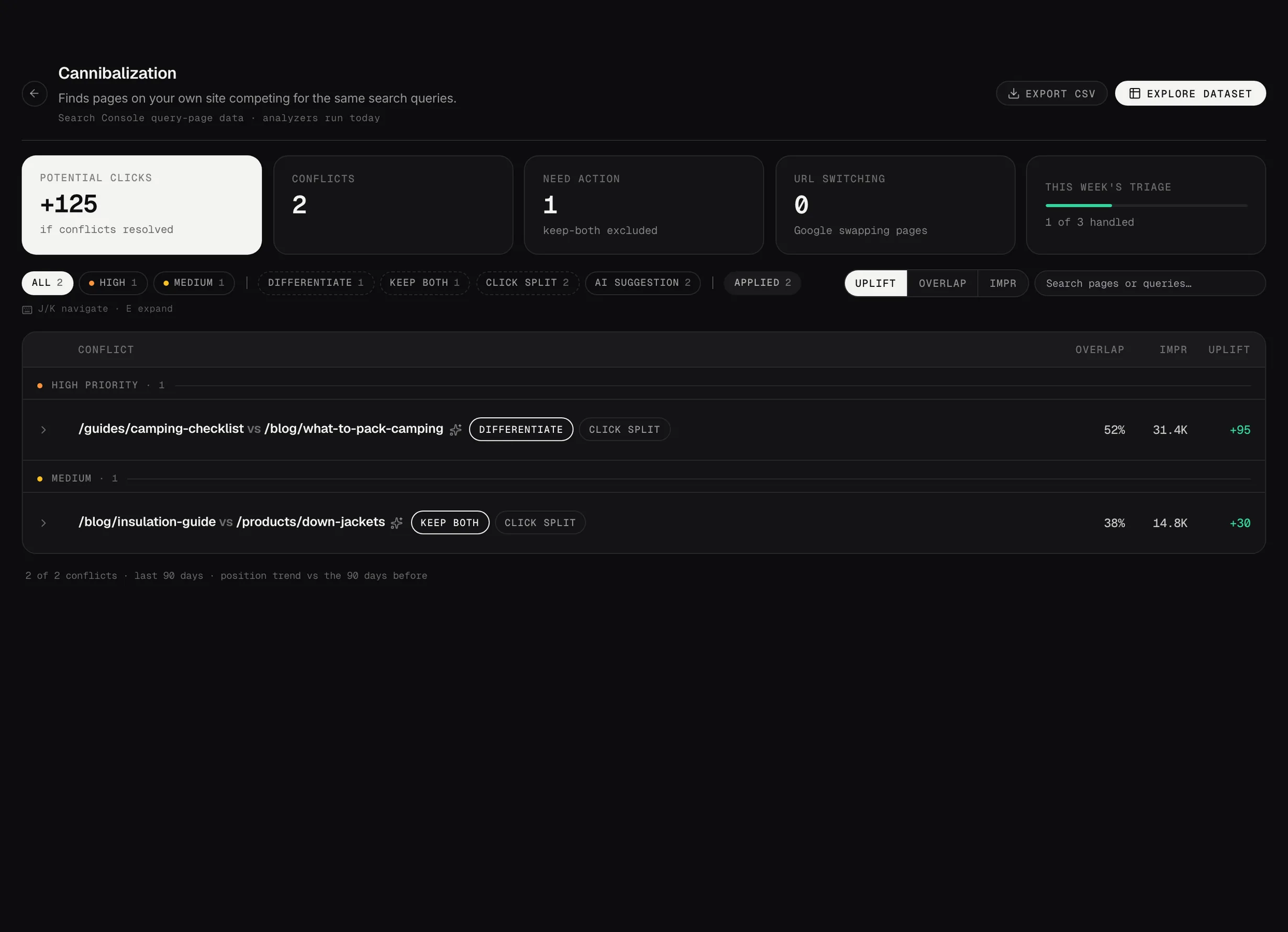
Cannibalization
Find pages competing for the same search demand. Searchscope shows the overlapping queries, the pages involved and the clicks in play, then recommends whether to consolidate the pages, differentiate them or keep both. URL switching is flagged separately, so you can see when Google repeatedly changes which of your pages it ranks for the same query.
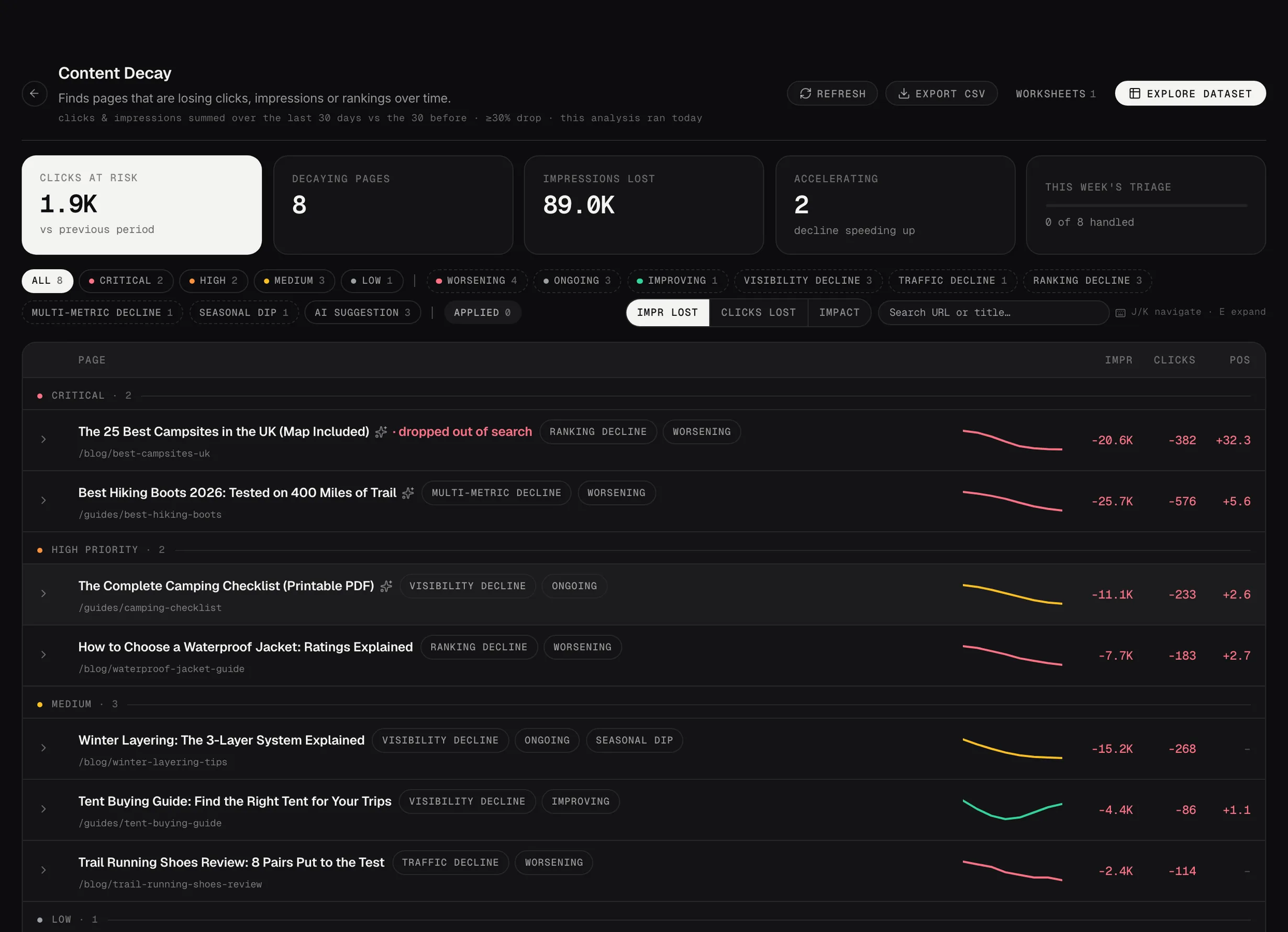
Content Decay
Find pages that are losing organic clicks against their own historical performance. Searchscope shows which queries are driving the decline and whether performance is worsening, recovering or following a seasonal pattern. From the finding, you can investigate the decline with the Strategic Advisor or take it into Content Studio to work on the content gaps.
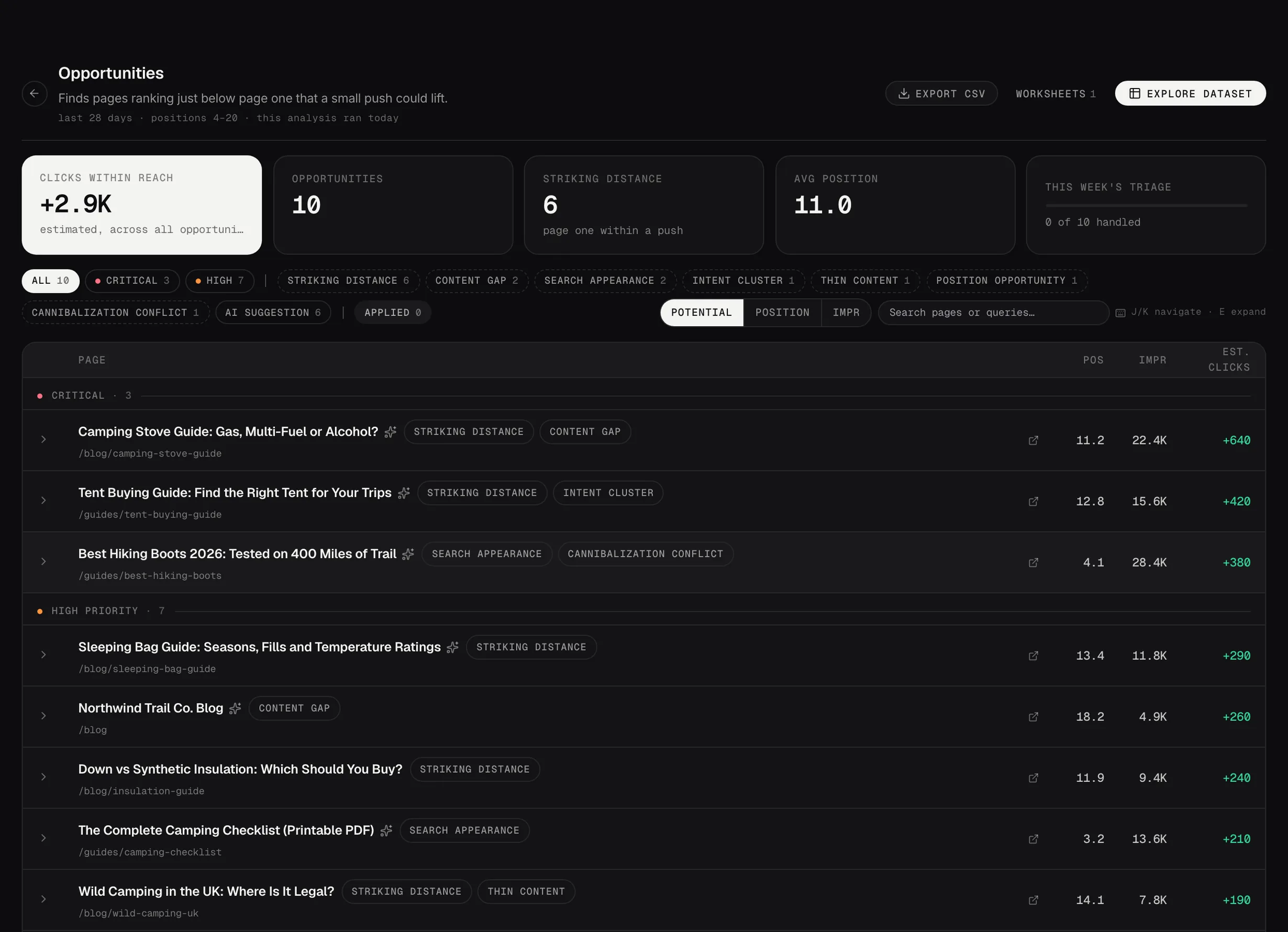
Opportunities
Find more than simple striking distance keywords. Searchscope identifies pages sitting close to stronger positions, low click-through rates on rankings you already hold, intent mismatches and content gaps. Where relevant, it also highlights SERP features worth targeting and recommends the change most likely to improve the opportunity.
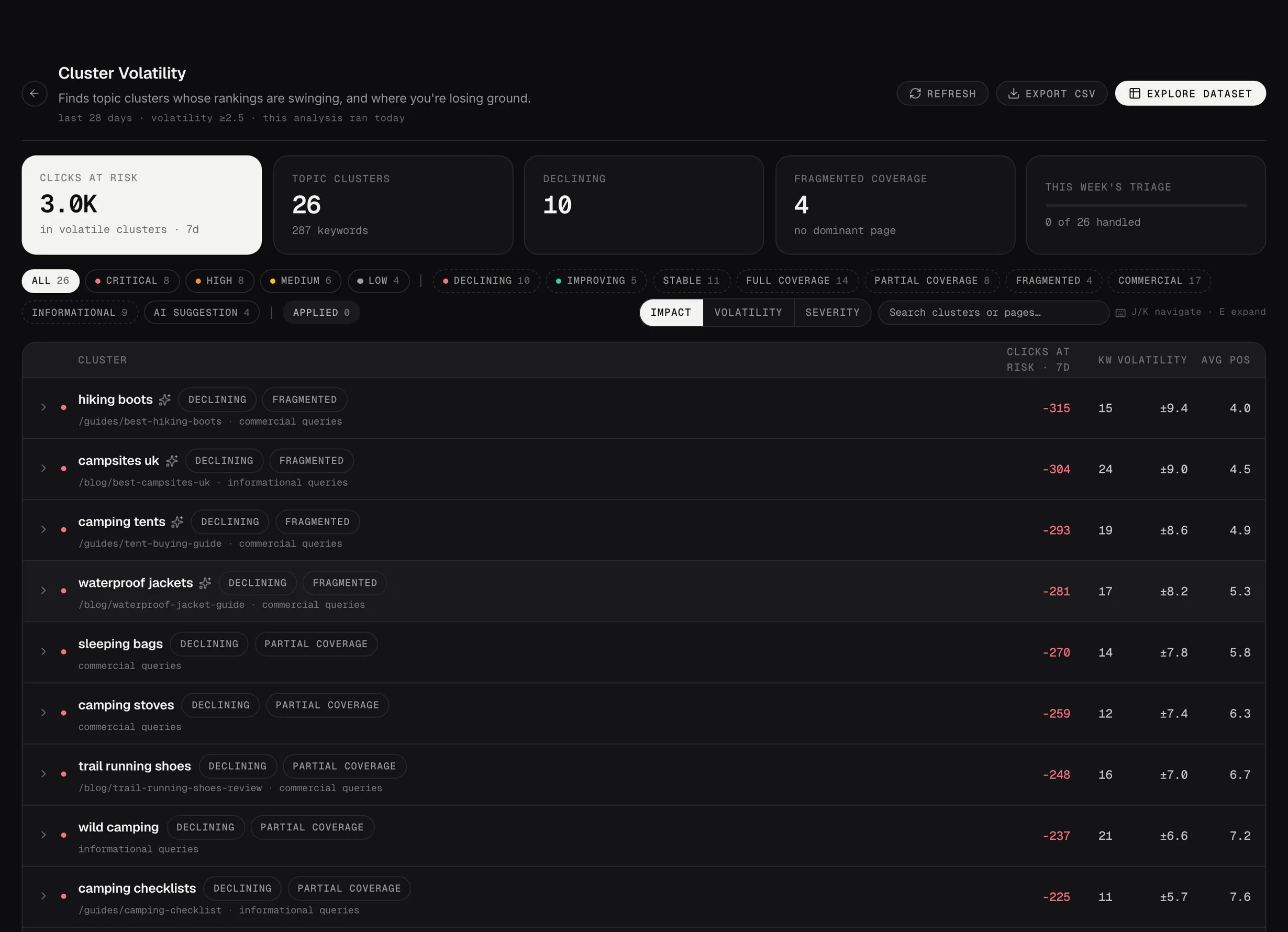
Cluster Volatility
Spot when search visibility changes across an entire topic, not just a single page. Cluster cards show which pages are carrying each topic and where coverage or performance is weakening. You can investigate the change with the Strategic Advisor and use Content Studio where new or improved content is needed.
Index Bloat
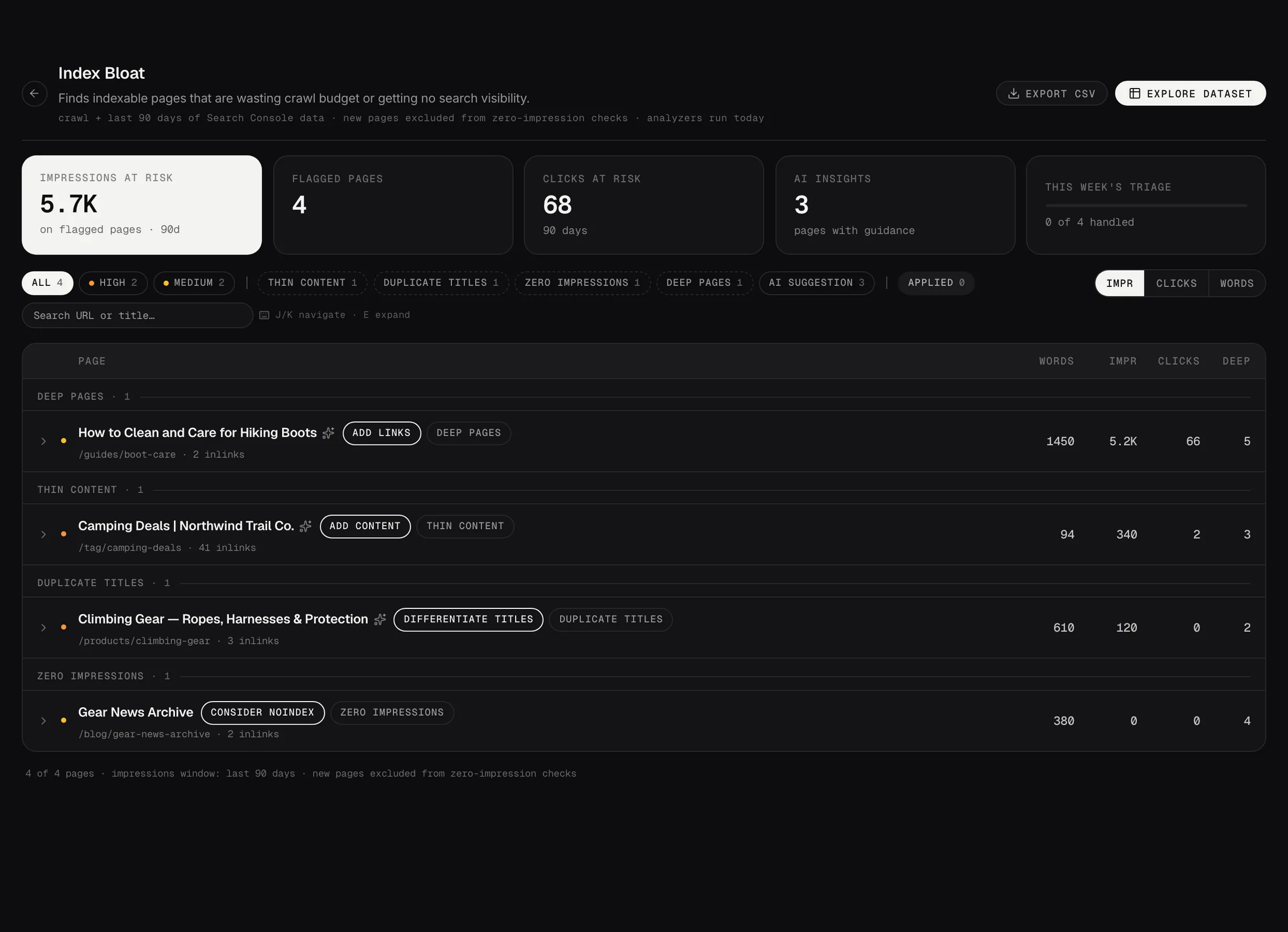
Find thin, duplicate and zero-traffic pages that may be contributing to index bloat. Each finding includes the relevant page data and Searchscope's recommendation, so you can quickly decide what deserves action.
Internal Links
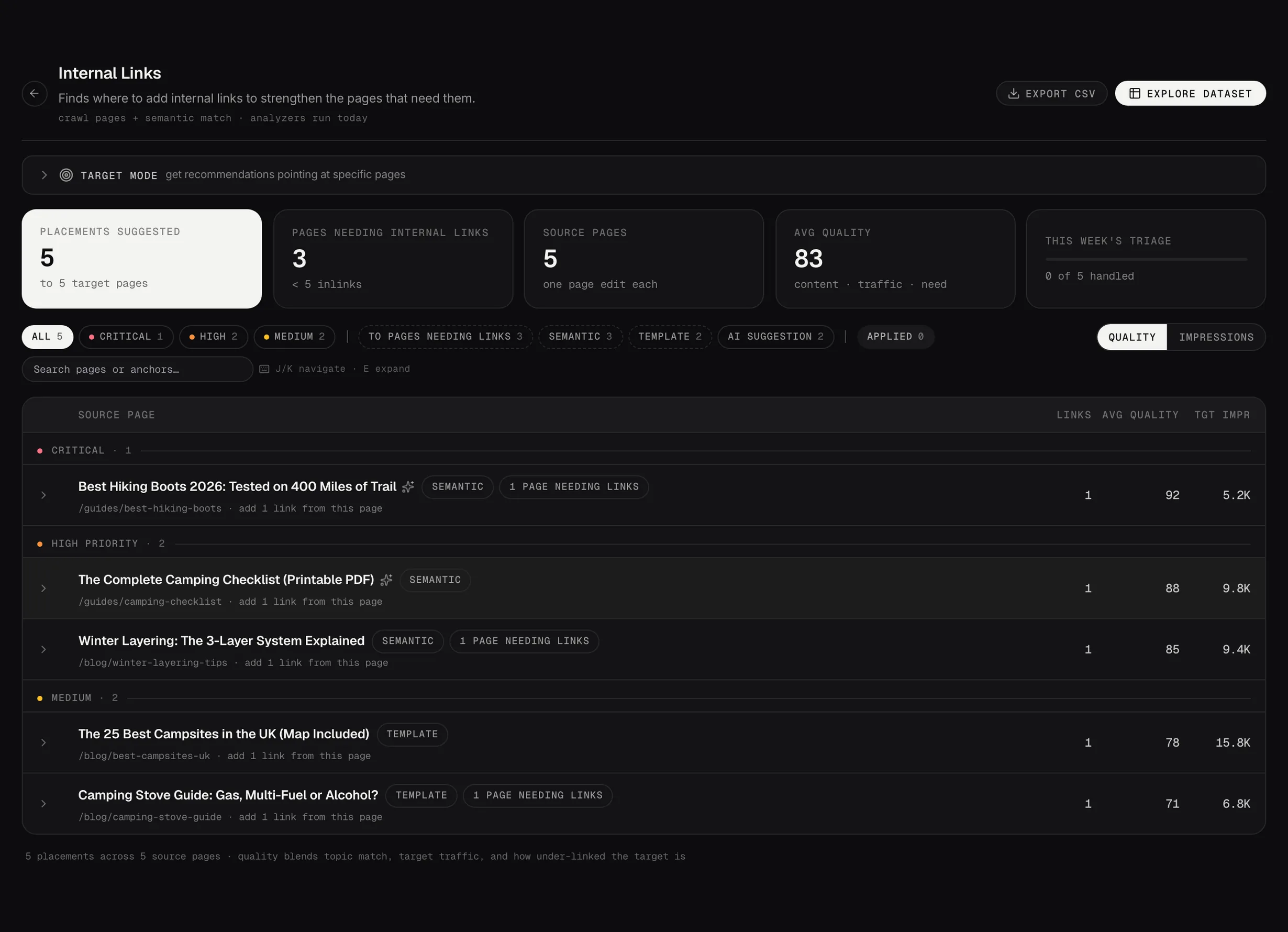
Find internal linking opportunities with the source page, target page and suggested anchor text already identified. Searchscope also shows the match type and highlights important pages that are receiving too few internal links.
Schema
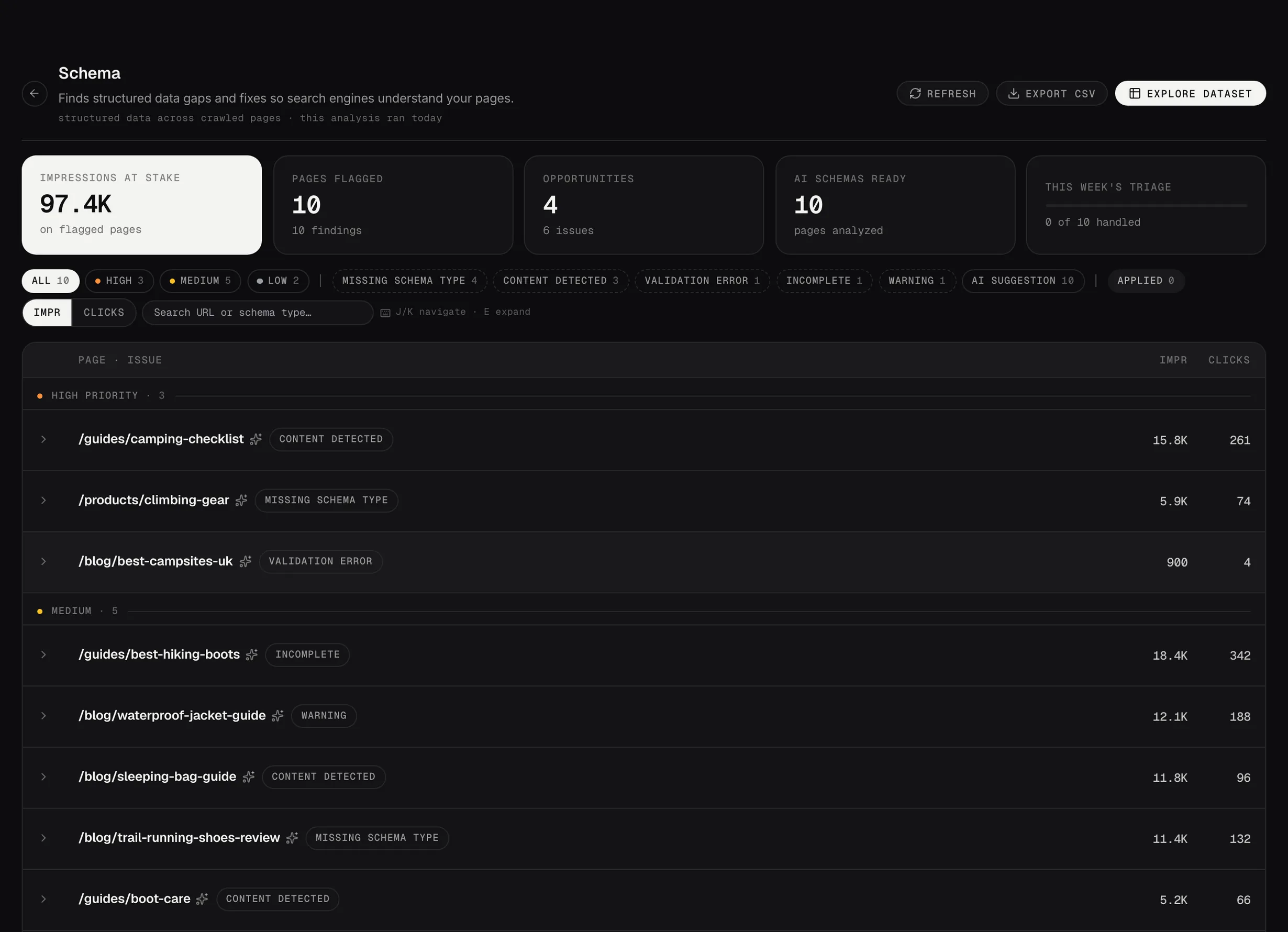
Find missing or broken structured data and see what needs to change. Where supported, Searchscope provides ready-to-use JSON-LD and shows the difference between the current implementation and the recommended version.
Mark it applied. Then find out whether it worked.
When you mark a finding as applied, the Impact Tracker captures that page’s current performance as a baseline and measures what happens next. That gives you a recorded before-and-after point, rather than relying on memory or a comparison date chosen after the fact.
Including when the answer’s ‘no’. It records the changes that work and the ones that don’t. A fix that moved nothing stays in the record as a fix that moved nothing, which is what makes the improvements you can demonstrate credible.
- A recorded baselineClicks, impressions and position are captured when the change is marked as applied, and stored against that piece of work.
- Changes marked on the timelineSee when the work was applied, drawn onto the performance trend, so you can read what happened afterwards.
- Applied changes archiveA record of what was changed, when it was applied and who applied it. Completed findings leave the active queue without disappearing from the history.
- Included in reportingApplied changes and the performance that followed can be included in the weekly report, making the work and the results that followed easier to show.
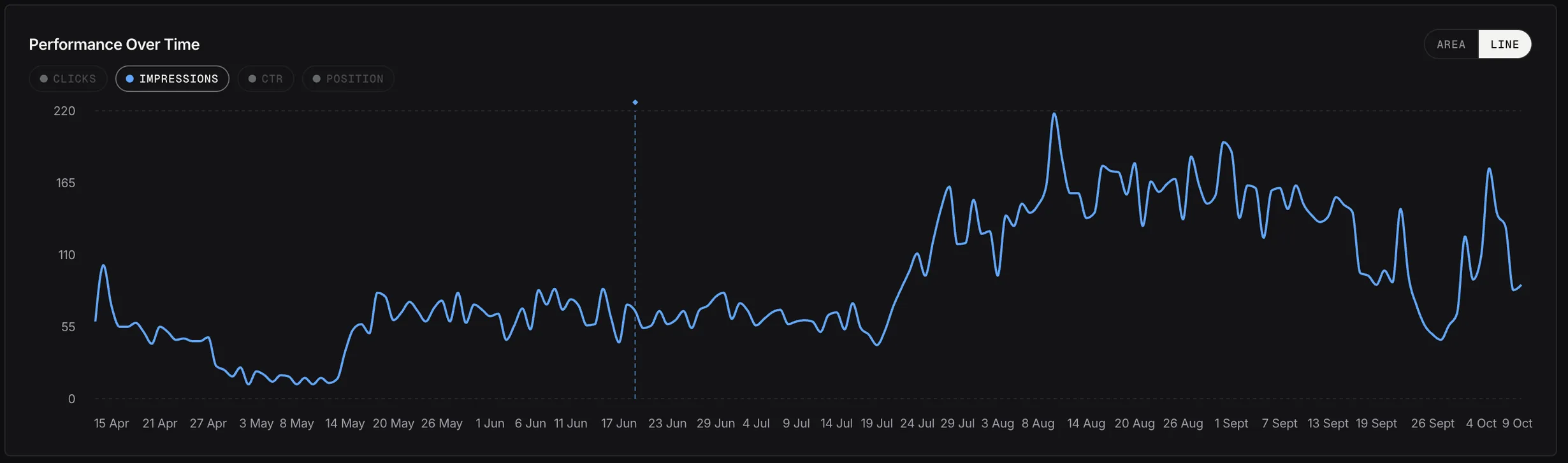
Impact Tracking on a live page: daily impressions before and after the change on 19 June (the dotted line).
Live accountFewer findings, on purpose.
Connect a site and Searchscope runs the analyzers automatically, filters out low-value findings and gives you a focused list of issues and opportunities worth reviewing.