Your numbers
Down to one page or one query
Work from headline performance, or narrow the analysis to a specific page or query rather than relying on an account-level summary.
Strategic Advisor is Searchscope’s search strategy agent. Ask it anything about your search performance and it works from your Search Console history, your analyzer findings, your competitors, market demand, your business context and the live web.
You can see the data and sources it used to build the answer.
CONNECTED TO
Where am I losing to competitors?
Three topics, and the same rival wins all three. Your boot-care pages rank 18th on average against their 4th.
They publish depth you don’t have: 12 pages to your 3.
Send to Studio · 3 pieces found in this reply
ITS WORKING
query_gsc_performancetop pages
get_competitive_landscape412 gaps
get_analyzer_findingsdecay
get_demand_trends24 topics
get_objectives2 active
web_search2 sources
6 steps · 11s in tools · 2 citations
SOURCES
northwood-rival.comboot care guide
outdoorgearlab.comwaterproofing test
A row of chips at the top says what it’s reading and whether each one is connected yet. An unconnected chip tells you what to do about it, and most of them link straight to the setting or tool where you do it.
Your numbers
Work from headline performance, or narrow the analysis to a specific page or query rather than relying on an account-level summary.
Your findings
Decay, opportunities, cannibalization, internal links, index bloat, schema and cluster volatility, read directly rather than described to it.
Your market
Competitor keyword gaps, and the topics, demand estimates and opportunities surfaced in Demand & Trends.
Your business
What you sell, who you sell to, your commercial priorities, your brand voice and the language you want to avoid. Filled in once in Business Context.
Your site
It can read the current page content when page-level context is needed, plus your schema coverage, your technical health findings and what Google says about a URL’s index status.
The live web
It searches, and the sources come back as links under the answer.
Start from something Searchscope has surfaced, open Ask Advisor from a finding, a keyword gap, a topic or a tracked page, or type your own question. Add a screenshot where visual context helps.
Surfaced for you
It puts up what looks most worth your attention right now, drawn from your keyword gaps and your objectives. Dig into this opens the conversation on that finding.
Ask Advisor, from anywhere
Searchscope prepares the question with the relevant context already in it, and leaves it waiting in the box. You review it, change it if you want, and send it yourself.
Or just type
Paste a ranking chart, a competitor’s page or a client email straight into the box. Up to four images a message.
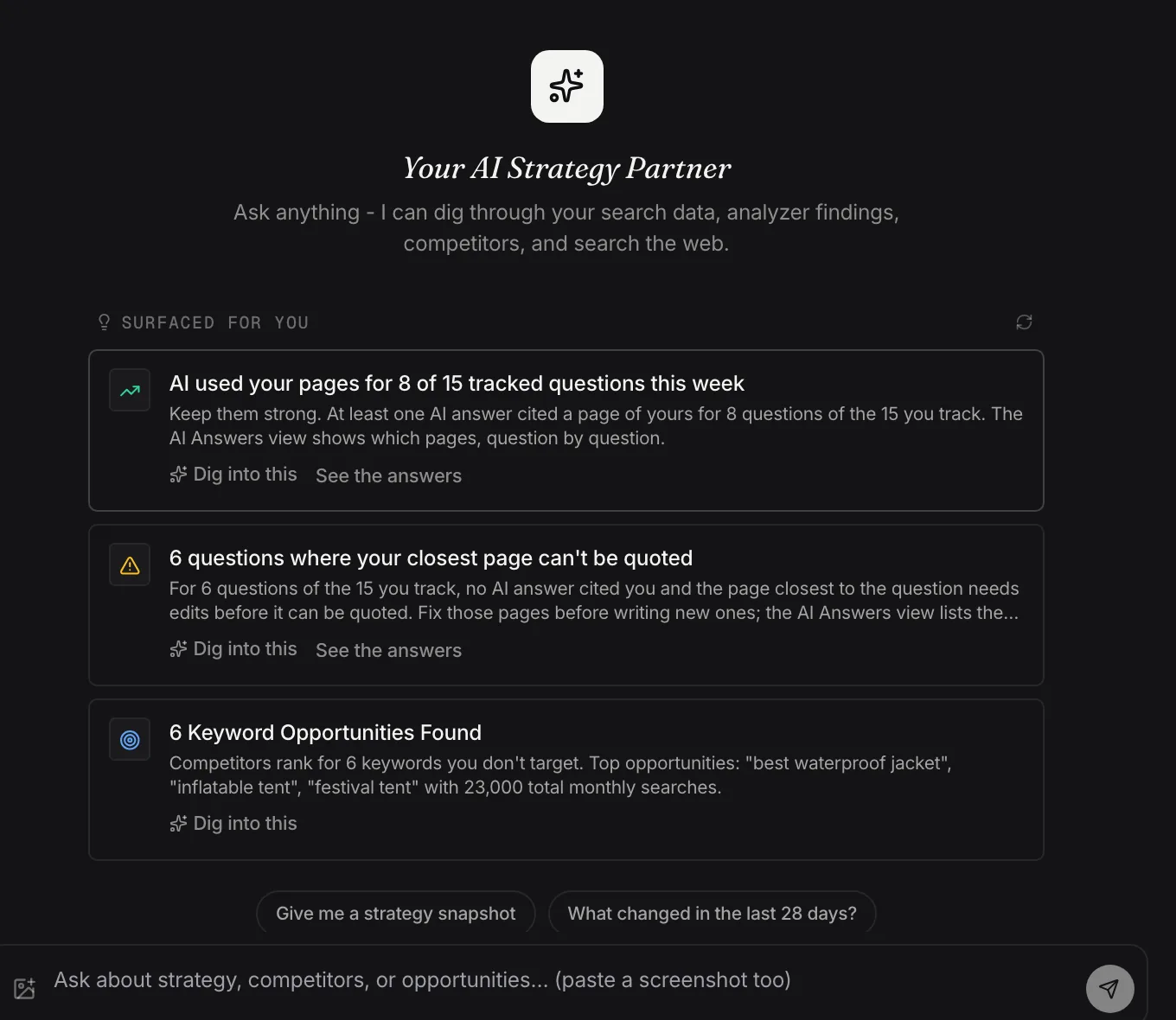
Before you ask anything: what the Advisor has already noticed in the account.
Demo dataAlongside the answer you can see the account data it read, the searches it ran and the external sources it used. An answer you can check is more useful than one you simply have to trust.
where am I losing to competitors?
Three topics where a competitor ranks and you don’t: boot resoling, boot care and cleaning and hiking in winter. All three sit above your demand threshold, and rival-outdoors.com is in the top five for each.
SOURCES
northwood-rival.comboot care guide
outdoorgearlab.comwaterproofing test
SEND TO STUDIO
Boot resoling guidenew article
Boot care hubpage update
Winter hiking pitchPR
Each piece goes over on its own, with the conversation attached.
Evidence4 steps · 11s in tools
Sources
Listed under the answer as links, so a claim about somebody else’s page can be opened rather than taken on faith.
Send to Studio
When a reply recommends content, Searchscope identifies the individual pieces and lets you send each one into Content Studio with the conversation and its context attached. Each piece stays separate, so a page update, a new article and a PR pitch can each become their own work.
It keeps the thread
Named from your first question, so you can come back to an earlier analysis without rebuilding the context or starting the conversation again.
It can be wrong
It’s a language model reading your account, not inventing an answer. Answers get sharper as your data and your business context fill in, and they’re still worth checking before you act on them.
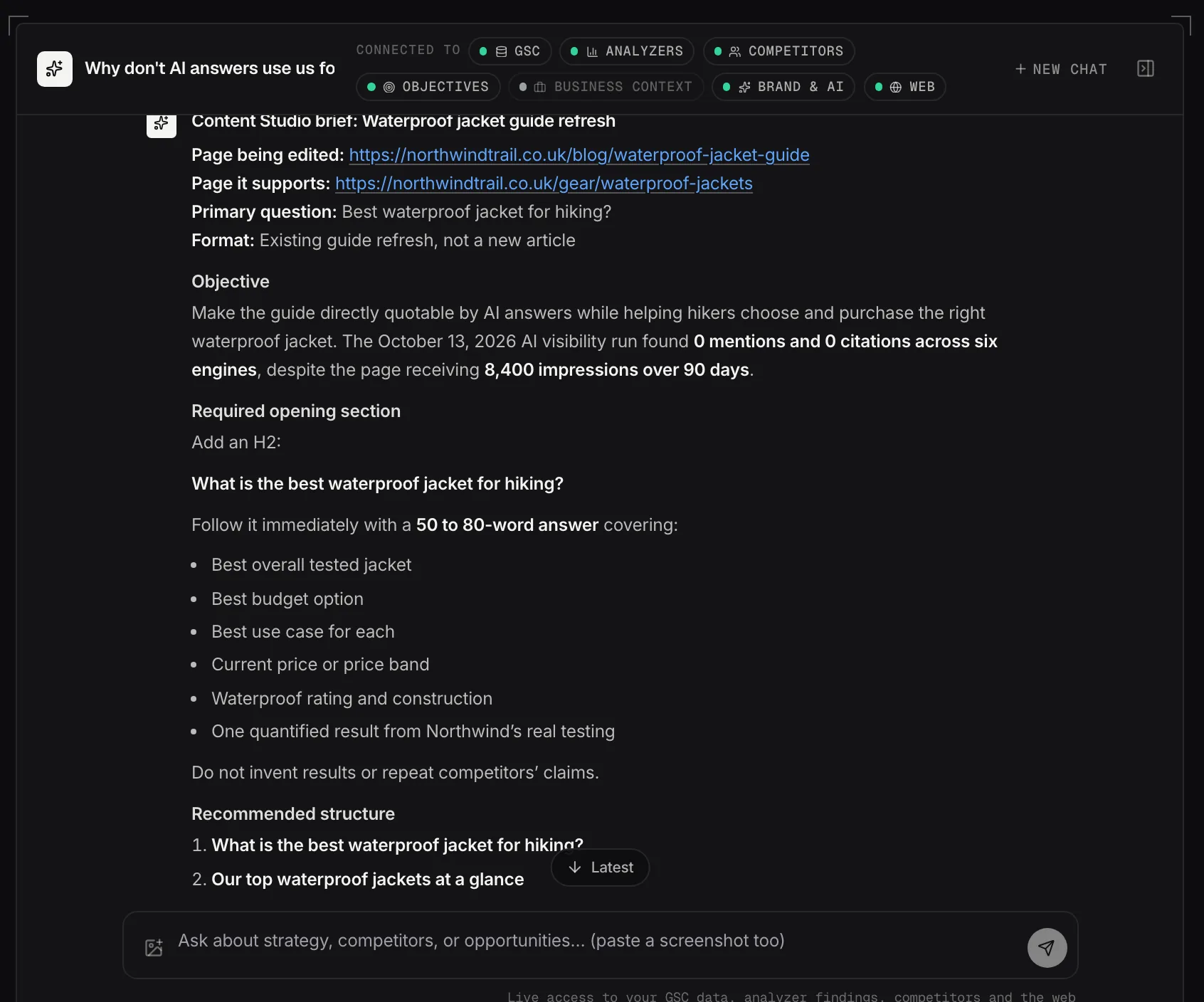
The same conversation turned into a Content Studio brief.
Demo dataSet your objectives in the panel beside the conversation. Strategic Advisor uses them as context when it weighs a recommendation, so the answer reflects your priorities rather than a general idea of good practice.
Say it in a sentence
"Increase visibility for agency searches" is enough. Add a metric and a target value if you want progress measured against it.
Objectives carry into plans and reports
The same objectives inform Reporting and seed the Content Planner when it drafts a plan, which keeps the work connected to the priorities you set. An objective under half way also surfaces itself here.
Checked when you ask for it
The refresh button reads the current figure and records it against the target. Metric progress is measured site-wide.
It can work from your search performance, your findings, your competitors, market demand and your business context before you ask the first question.