Type 01
Ranking decline
Positions falling on the queries the page was built for.
Traffic is down, but the reason isn’t always obvious. The agency says algorithm update or seasonality, the developer says it’s the CMS, and three weeks later nobody has identified a single page.
Searchscope analyzes your Search Console history to find the pages losing rankings, traffic or visibility. It shows which pages are sliding, which keywords carried the loss, when it started, and what to do next.
Clicks at risk2,410vs previous period
Decaying pages48of 1,204 pages
Accelerating9decline speeding up
12 of 48 pages · last 30 days vs the 30 before
A page can lose rankings while traffic stays stable, or lose clicks while its positions barely move. Searchscope separates these decline types, so you can see what changed and prioritize the right response.
Type 01
Positions falling on the queries the page was built for.
Type 02
Clicks are falling even when rankings stay relatively stable.
Type 03
Impressions are falling as the page appears for fewer searches.
Type 04
Rankings, clicks and impressions are all declining. These are prioritized first.
Campsite traffic falls every October. If a tool flags the same seasonal decline every year, your team learns to ignore it, which makes it easier to miss the declines that actually need attention.
Searchscope identifies patterns that repeat year after year, and lets you hide seasonal changes from the queue. What’s left is the decline that needs investigating, prioritized by potential impact.
Search Console keeps 16 months of performance data.
Searchscope keeps building your history from the day you connect, so it has more evidence to identify recurring seasonal patterns over time.
Trajectory
Searchscope tracks whether each decline is worsening or recovering, so a page that’s already improving isn’t treated like a new problem.
Trajectory
The decline is accelerating rather than leveling off. These are prioritized more highly in the queue.
Trajectory
Pages that have gone from ranking to absent, flagged separately from those merely slipping.
Finding the decline is only the starting point. Each page worth saving comes with a recovery playbook based on what changed, alongside an estimate of the potential impact of recovering the lost performance.
The keywords that carried the loss are listed underneath, so a rewrite starts from what the page stopped ranking for rather than from a guess.
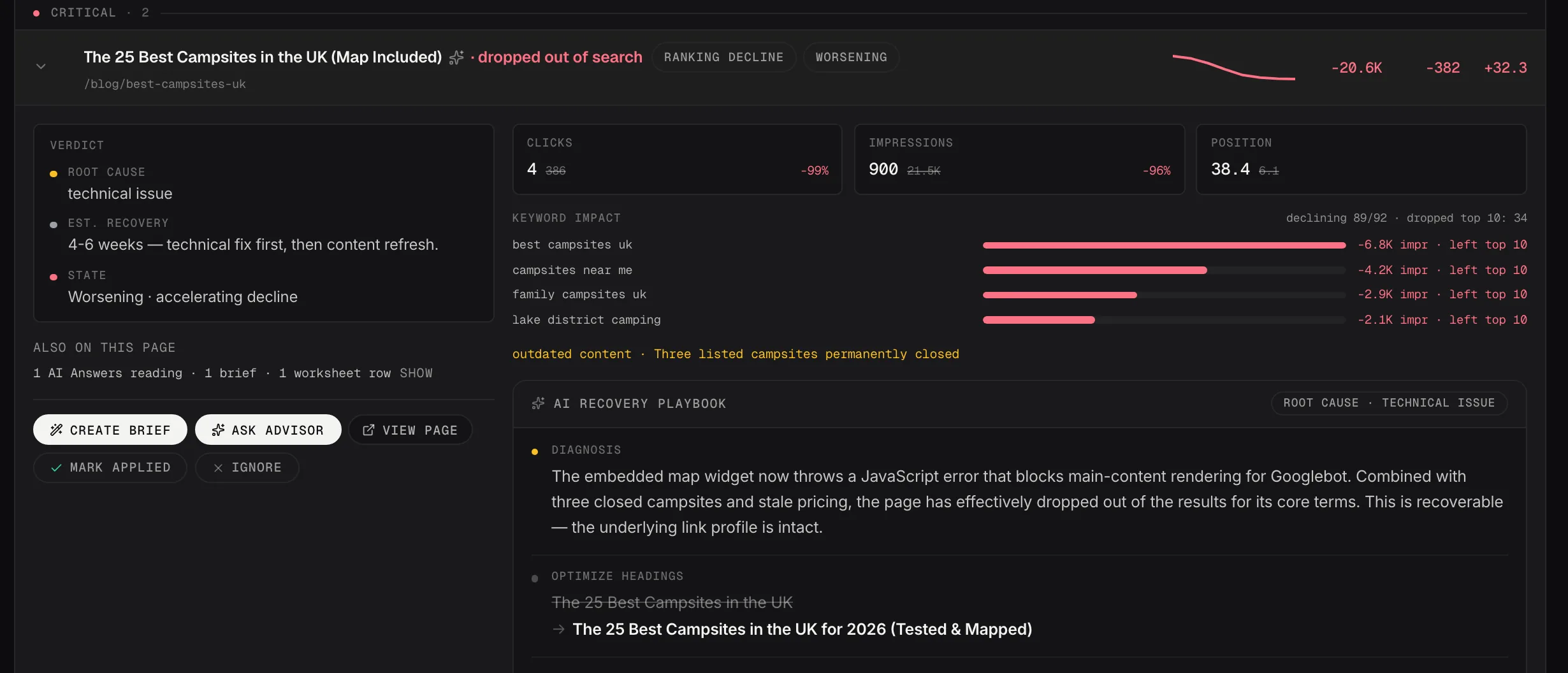
One decay finding: the root cause, the queries that carried the loss and the recovery playbook.
Demo dataAsk the Strategic Advisor to analyze why the page declined, and whether recovering it should be prioritized against everything else in your queue. Send the finding to Content Studio to create a brief using the lost queries, the current SERP and the ranking competitors Searchscope has already identified.
Once the work is live, mark it applied. The Impact Tracker records the baseline and shows what happens to rankings, clicks and visibility afterwards. Including when nothing changes.
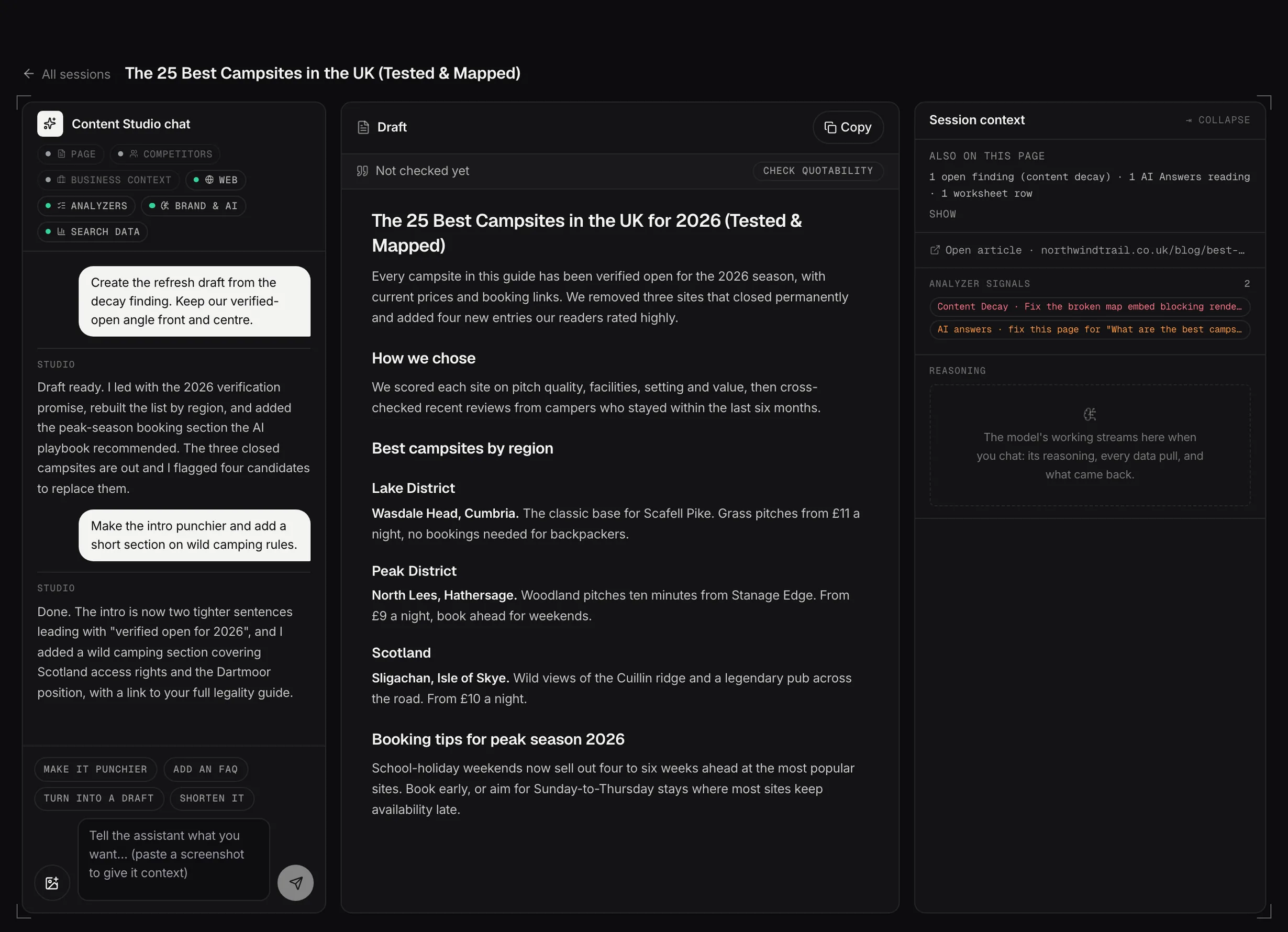
Content Studio: the chat, the draft and the source context side by side.
Demo dataConnect your site and Searchscope runs the analyzers automatically, filtering and prioritizing the findings that deserve your attention.