Command Center
Your search performance over time, and the detail behind it.
In appSearch IntelligenceCommand Center
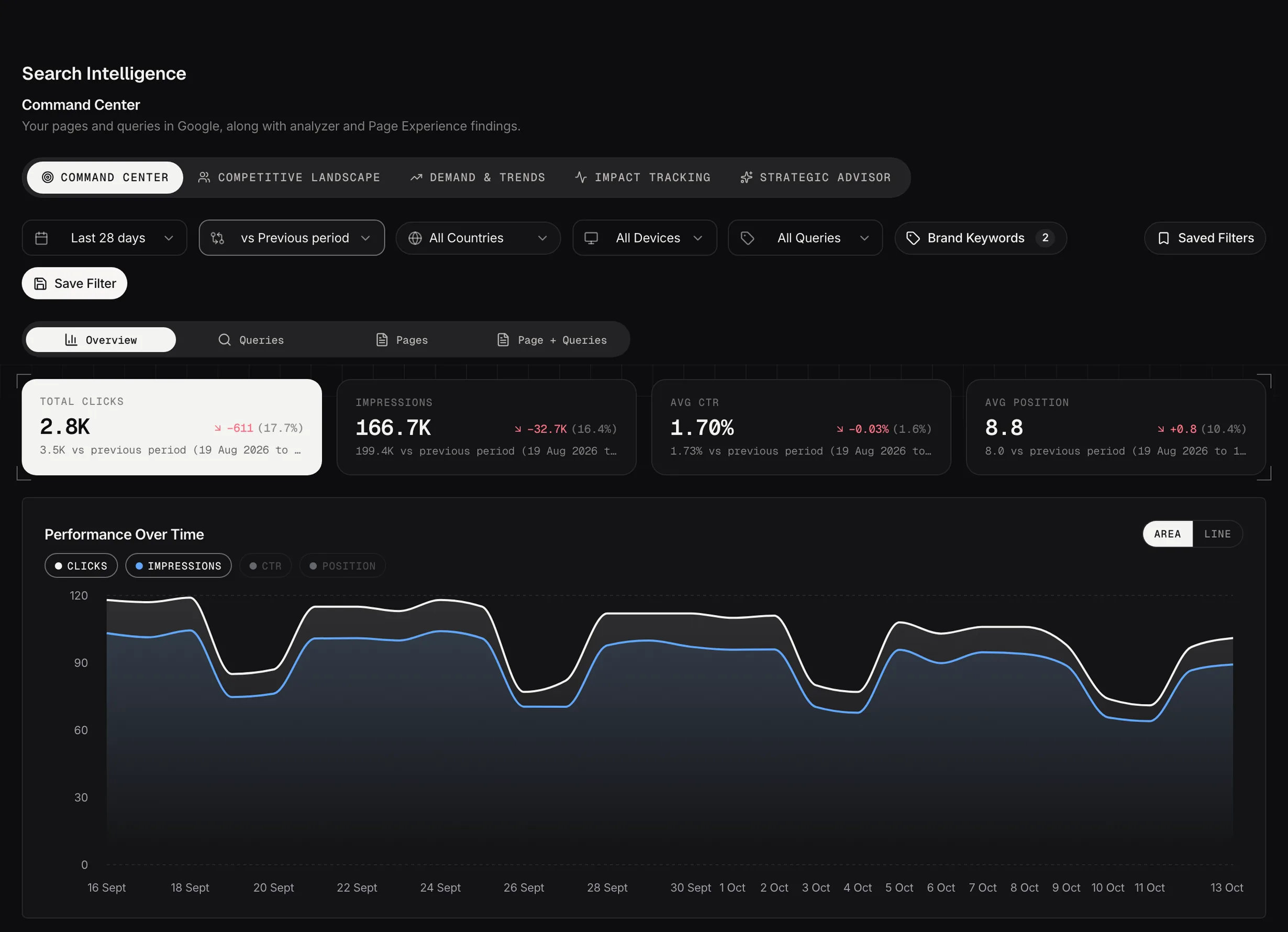
Command Center: clicks, impressions, CTR and position against the previous period, with the trend underneath.
Demo dataThe headline numbers
Clicks, impressions, click-through rate and average position, each with the change against the previous period. Refreshed on every run.
Position is an average of averages, so treat a small move in it as noise. Clicks and impressions are the numbers to trust.
The detailed views
Queries, pages, the two combined, and Impact Tracking. Query and page together is the one people underuse: it shows which searches each page actually wins, rather than which searches exist.
Brand against non-brand
How much of your traffic comes from people already searching for you by name, against people finding you for the first time.
This one matters more than it looks. Traffic growth that's all brand means your marketing is working and your search presence isn't.
Impact Tracking
Impact Tracking is the tab that closes the loop, and the fifth along. Every finding you mark as Applied in a workspace turns up here with the search performance for that page, so you can see what happened after the work was done. Before and after, rather than proof that one caused the other: search moves for plenty of reasons that have nothing to do with you.
Each card is one page, with a marker on the chart for the day you applied it and clicks, impressions and average position beside it. A page changed more than once gets a timeline rather than a second card.
Track a page is the manual entry, and it's worth more than it looks. Marking a finding applied tracks the URL named in the finding, which isn't always the URL you changed. A cannibalization finding names two pages competing for the same query; if you fixed it by rewriting the other one, that's the page whose performance you want to watch, and it's not the one being tracked.
So add it yourself: the URL, what you changed and the date. Same for anything you changed with no finding behind it. The 28 days before that date become the baseline, so moving the date re-baselines the comparison.
It stays empty until you start marking things applied, which is worth knowing before you go looking for it on day one.
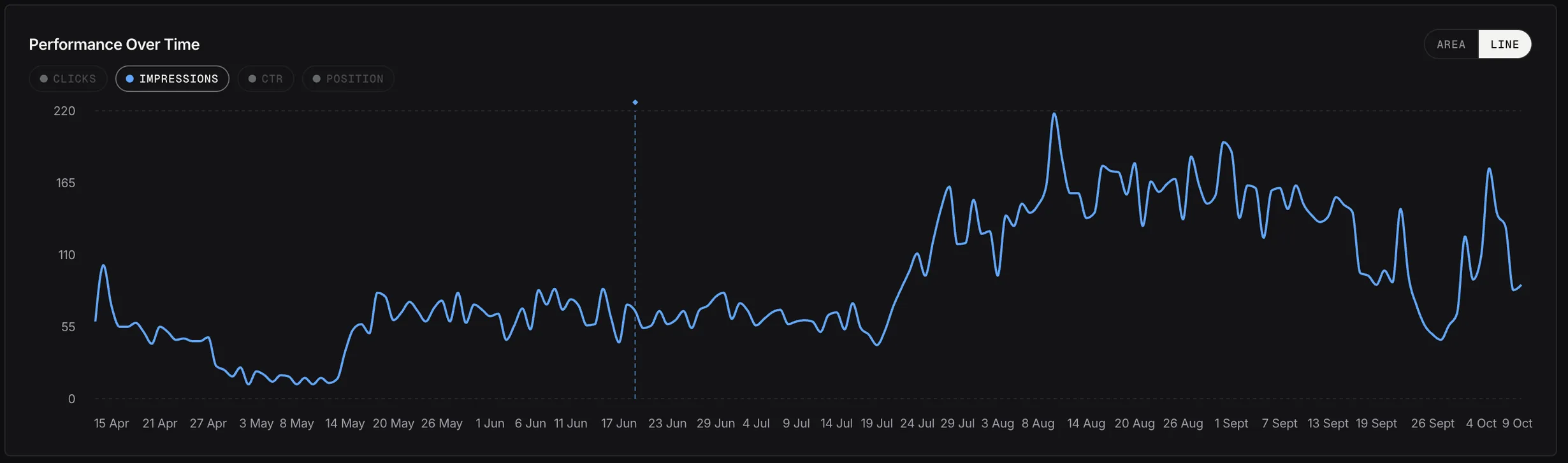
Impact Tracking on a live page: daily impressions before and after the change on 19 June (the dotted line).
Live accountBrand keywords live here, not in Settings
The Brand Keywords button in the filter bar is what decides which searches count as brand. Add your company name, product names and the misspellings people actually type.
With nothing in that list the brand cards read zero, which looks like a data problem and isn't. It's the one setting on this page that changes the numbers rather than filtering them.
Setting a target
Set one measurable target and every weekly briefing tracks progress against it. Optional, and worth doing: it's the difference between reporting numbers and knowing whether the work is paying off.