Content Studio
Briefs and drafts written from your own data, not from a blank page.
In appInstrumentsContent Studio
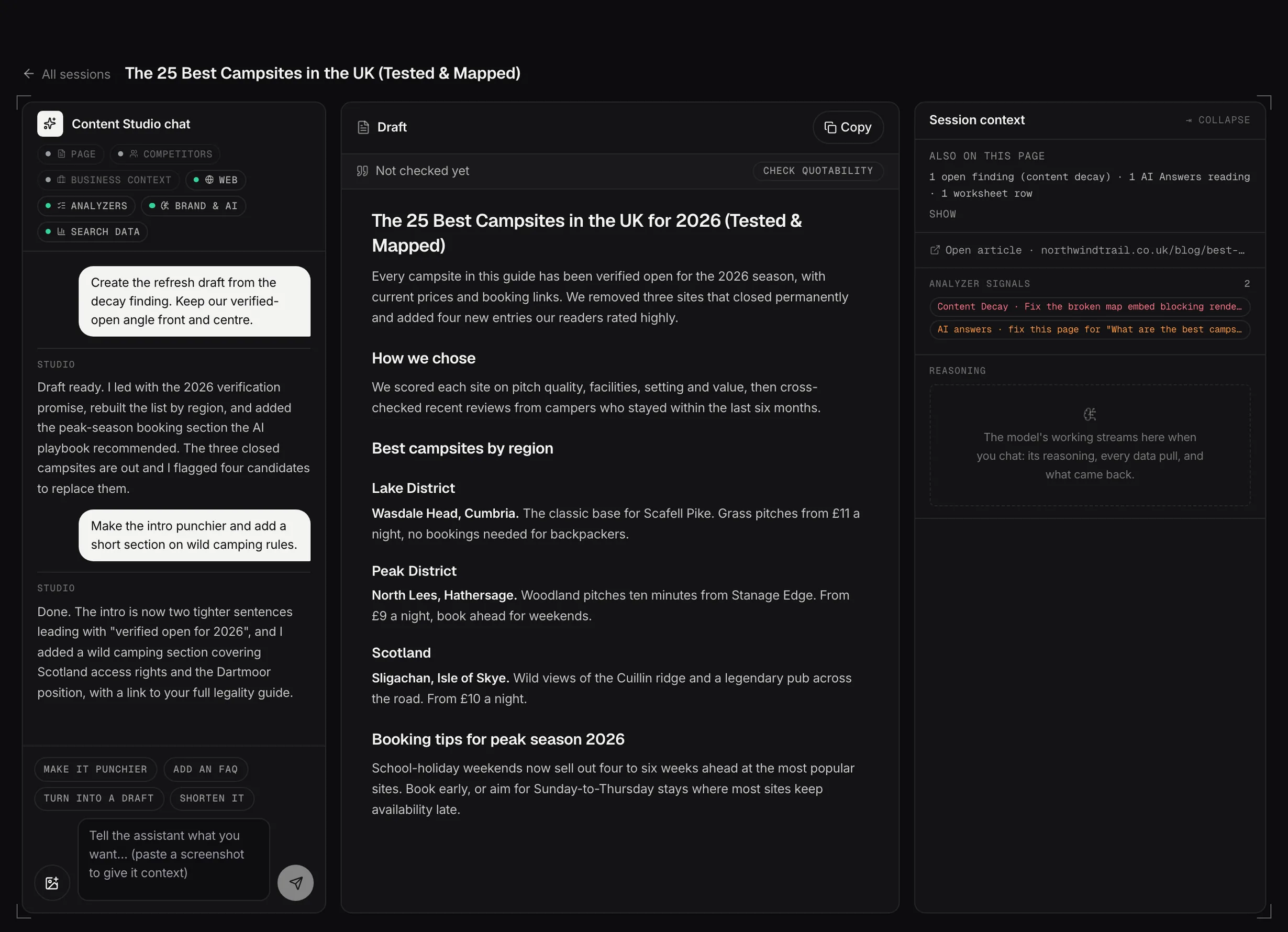
Content Studio: the chat, the draft and the source context side by side.
Demo dataFour ways to start
Improve a page, write something new, fix one of this week's findings, or open a blank canvas. Each mode asks for exactly what it needs and opens the session pre-filled.
Most sessions don't start here at all. They arrive from a workspace finding or a Strategic Advisor reply, carrying their context with them.
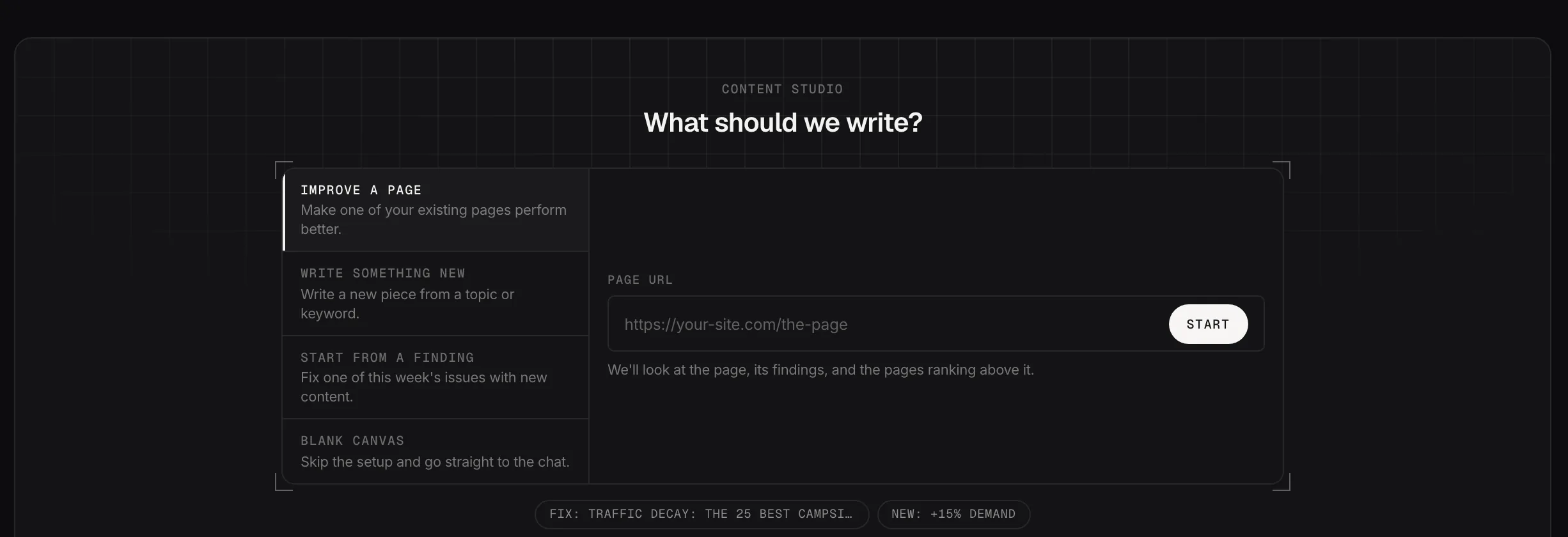
Four ways to start a session.
Demo dataWhat a session does
A session reads the top-ranking pages for your target, breaks down what they cover that you don't, and writes a structured brief: title, headings, keyword strategy.
From the brief you can generate a full draft. The brief is the part worth reading carefully, because it's where the thinking is.
Where sessions live
Every brief stays in the sessions list, so a piece you started and left is where you put it.