AI & Brand Intelligence
How AI assistants answer questions in your market, and whether they name you.
In appAI & Brand Intelligence
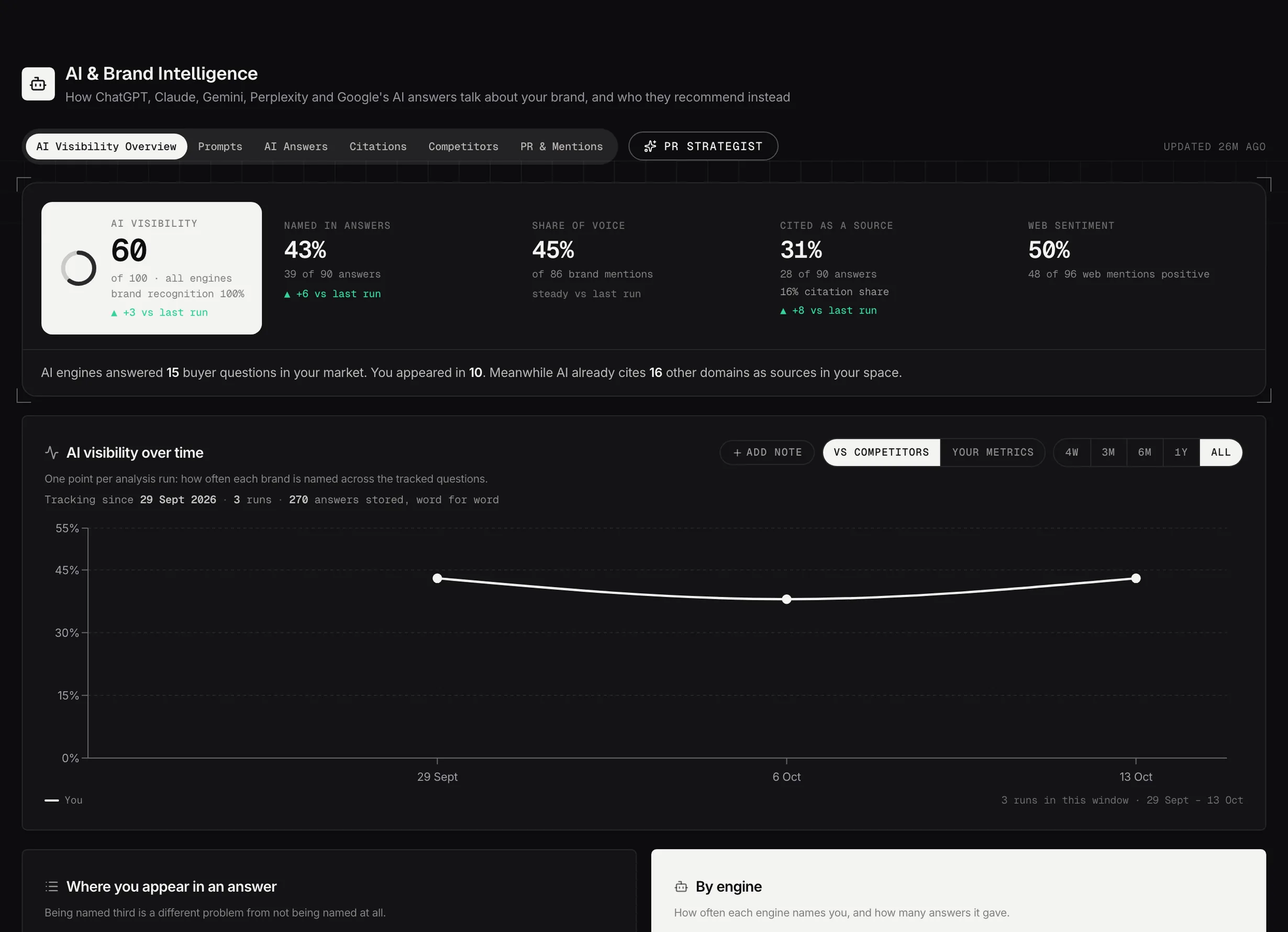
AI Visibility Overview: how often six AI engines name you, cite you and recommend someone else.
Demo dataSetting it up
Everything here runs off one thing: the questions your buyers ask. Type them in, one per line, or generate them from your own search data, which turns the searches that already bring people to you into the questions people ask an assistant.
Review the list before the first run. A question you'd never be a fair answer to will drag your numbers down and tell you nothing.
A run takes about a minute and puts your questions to all six engines. Re-run it whenever you want a fresh reading.
The overview
Your visibility score, how often you're named and cited, your share of voice, and where you sit inside the answer.
Every number shows what it's out of. Named in 14 of 60 tells you something a score of 23 doesn't.
Prompts
Your tracked questions with their week-on-week history. Suggested opens a drawer of new questions gathered from real AI answers, your search data and competitor gaps, ranked by demand, relevance, how winnable each looks and commercial intent.
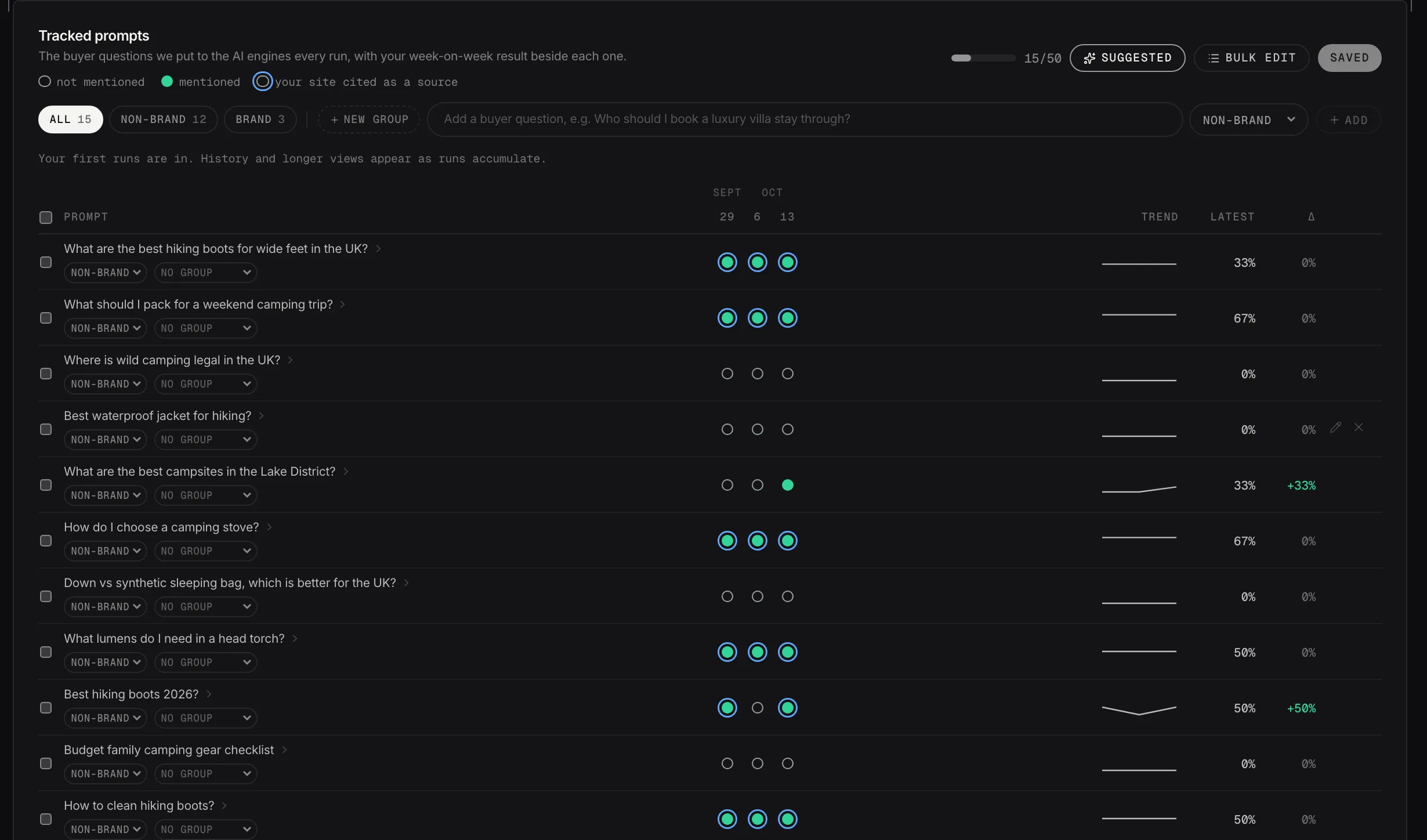
Tracked questions, run by run: mentioned, cited or absent.
Demo dataTagging a question brand or non-brand
Every question carries a group, and two of them are special: Brand for questions that name you, Non-brand for questions about the problem you solve. You can also make your own named groups, for a product line or a service, and a question can sit in none of them.
This isn't just a filter, it changes the score. Answers to questions that name you are scored separately as branded recall, which is one of the five components of your visibility score. Tagging decides what counts as which.
So the tagging is worth doing properly. A non-brand question mis-tagged as brand inflates your recall and deflates the share of voice that actually matters.
If you track no brand questions at all, nothing is penalized. Branded recall is dropped from the score and its weight is spread across the other four components, so a small brand with no name recognition isn't marked down for it.
The groups drive the filters everywhere else too. The scope toggle on Competitors reads the leaderboard across all questions or non-brand only, and non-brand is the fairer comparison: a competitor will never outrank you on questions containing your own name.
Opening one question
Click any question and a drawer opens with that question on its own: how it has moved over time, which engines named you and which didn't, and its notes.
It's the right place to go when a headline number moved and you want to know which question moved it.
Annotating what you did
A note is a date and a line about what you did, added from a question's drawer. Published a comparison page, ran a PR push, changed the pricing page.
Notes appear as markers on the trend, so the next time you look at a rise or a fall you can see what happened around it rather than guessing. Six weeks later, that's the difference between a chart and an explanation.
Notes work at three levels: on one question, on a group, and on the account as a whole, where they're pinned to the run they fell in and show on the Overview timeline. The date defaults to today and can't be in the future.
AI Answers
The raw transcripts, engine by engine: every answer collected, who got named, and where you appeared or didn't. This is the evidence behind every other number here, and it's worth reading a few in full.
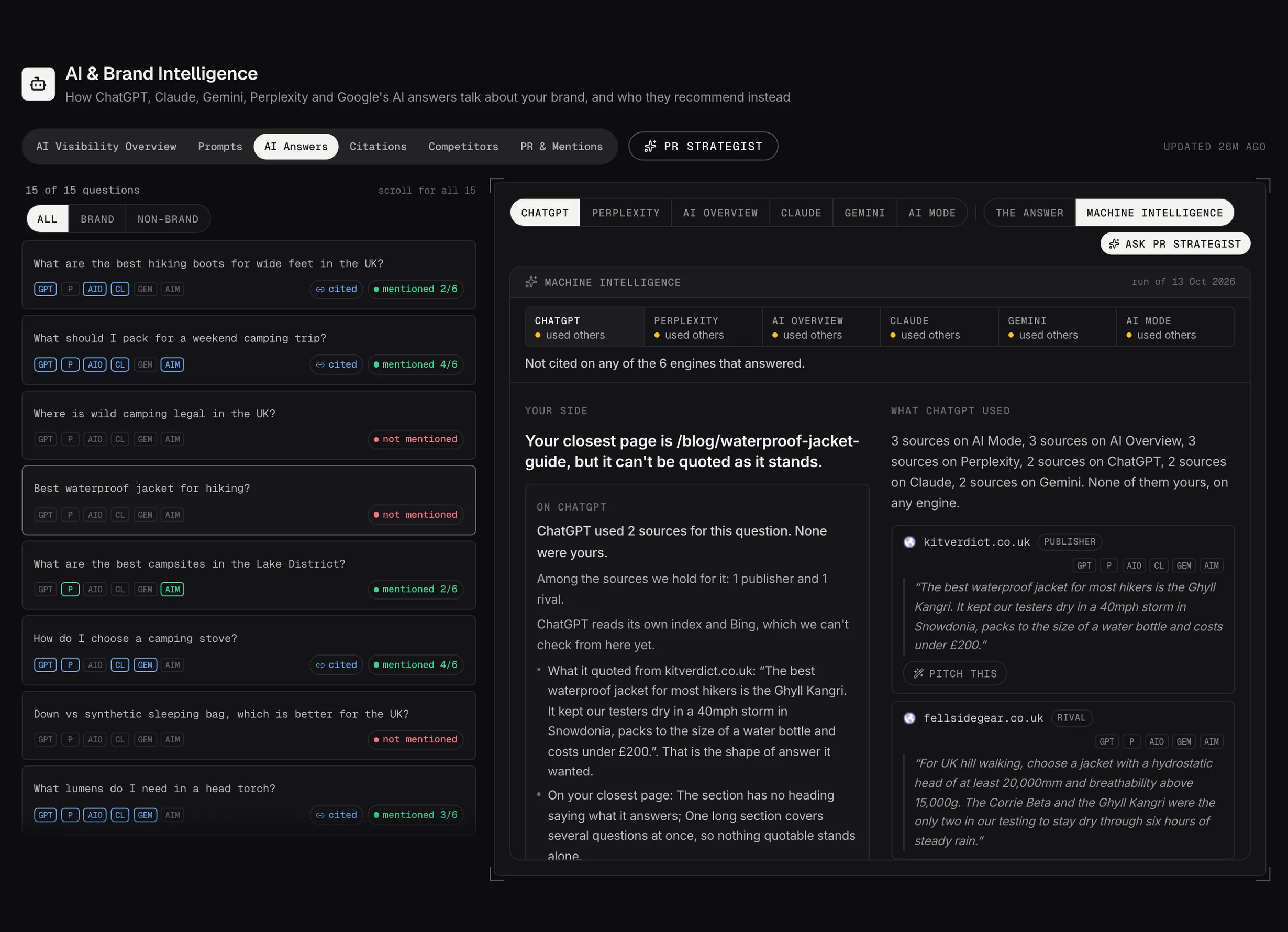
Machine Intelligence: your closest page, what stops it being quoted, and the sources each engine used instead.
Demo dataCitations
The domains assistants lean on when they answer questions in your space.
The ones that never cite you are your PR target list. That's the most directly actionable thing on the Citations tab.
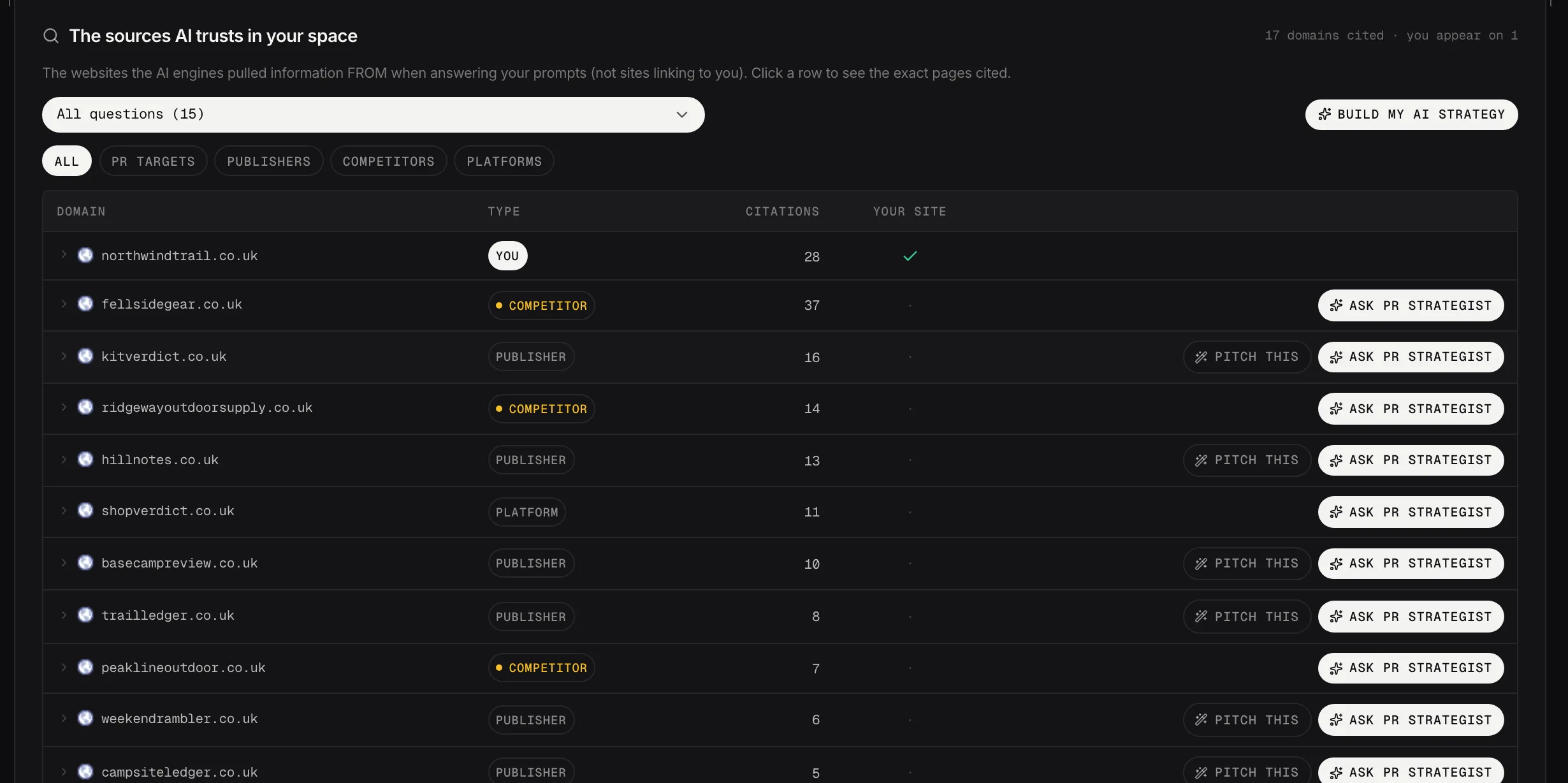
The sources AI trusts in your space, by type, with the publishers worth a pitch.
Demo dataCompetitors
Who gets named instead of you: the leaderboard, share of voice, and the results question by question. The scope toggle reads it across all questions or non-brand only, and non-brand is the fairer comparison.
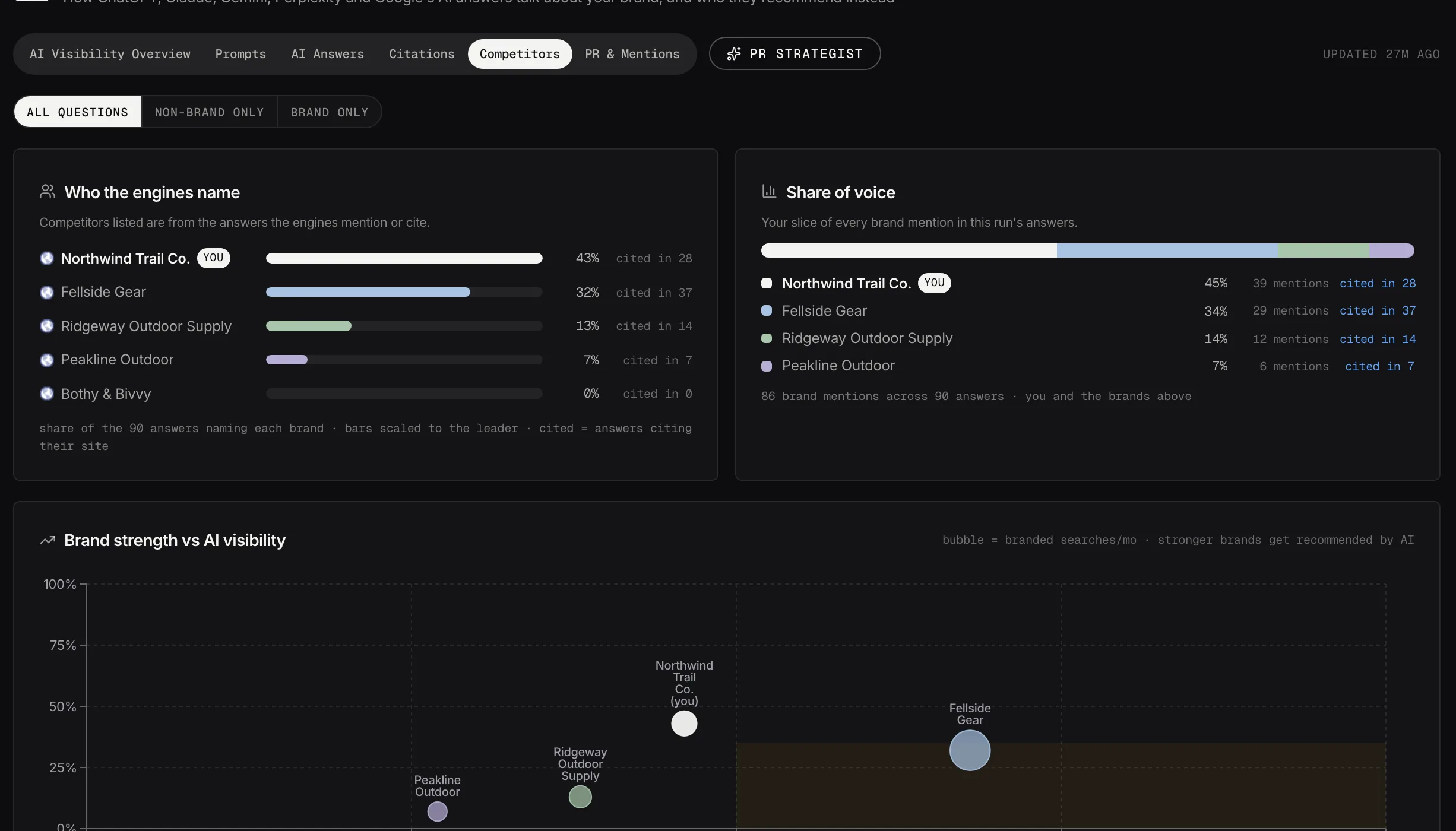
Who the engines name, share of voice, and brand strength against AI visibility.
Demo dataPR & Mentions
The coverage assistants can already see, plus the campaign radar. A spike in a competitor's coverage usually means a campaign ran, and Investigate works out what it was.
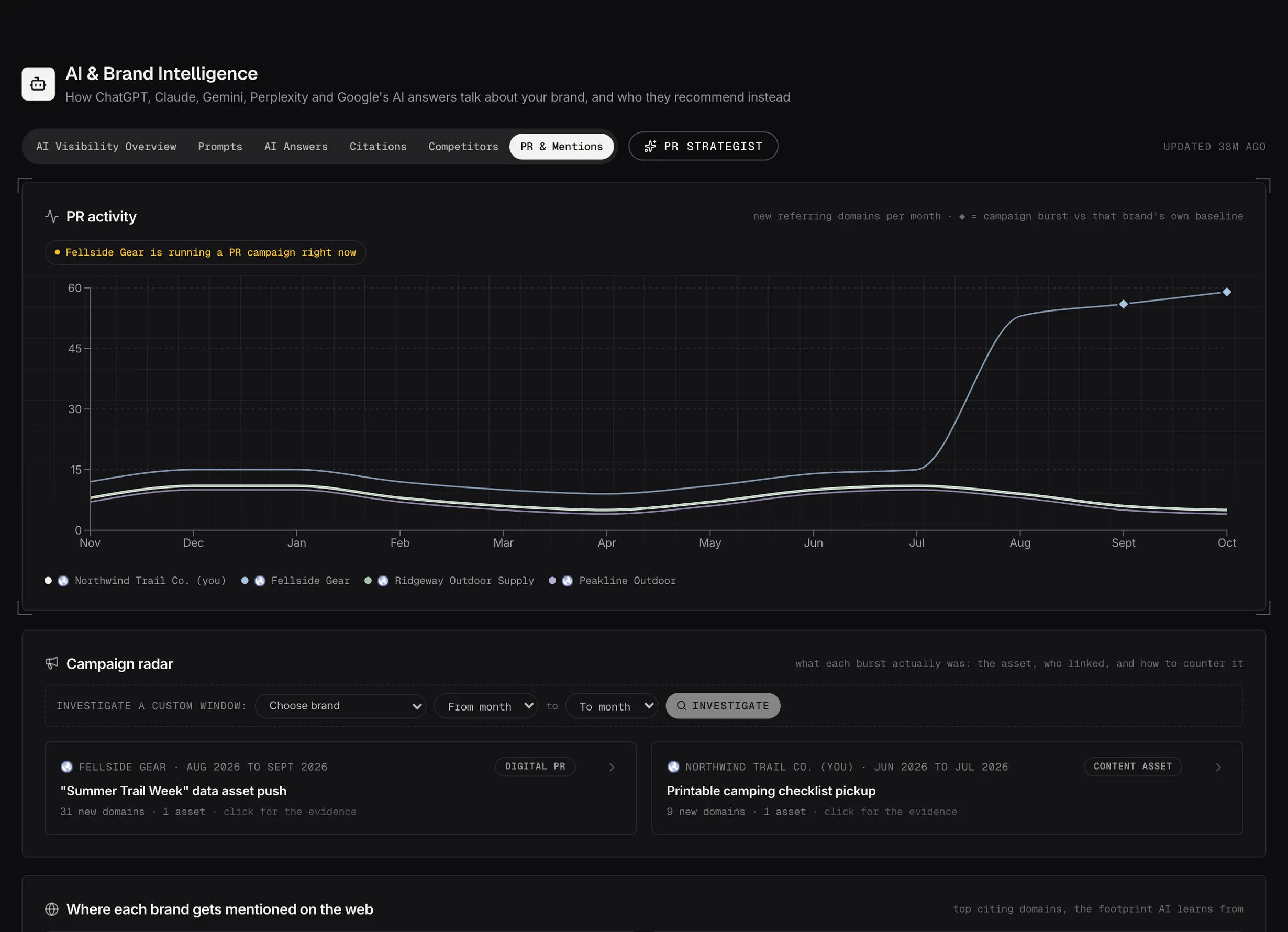
PR & Mentions: referring domains month by month, with a rival's campaign flagged as it happens.
Demo dataPR Strategist
The PR Strategist works from your visibility runs, your brand benchmark, the PR activity it can see and your citation gaps, and drafts an outreach plan with you.