Competitive Landscape
What competitors rank for that you don't, and where the gaps are worth closing.
In appSearch IntelligenceCompetitive Landscape
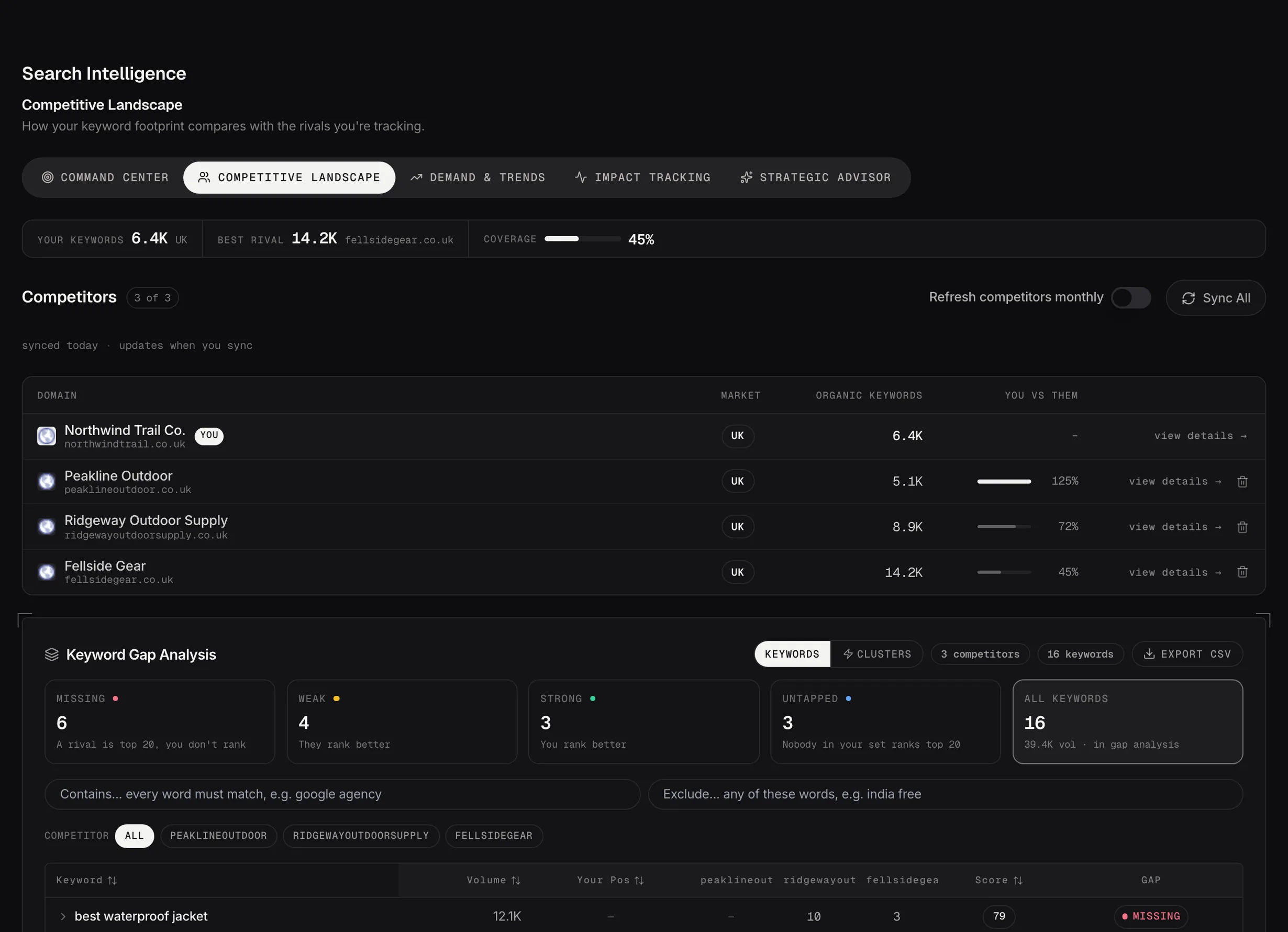
Competitive Landscape: your keyword footprint against the rivals you track.
Demo dataAdding a competitor
Add a domain and up to two thousand of the keywords it ranks for are pulled in, strongest positions first. It's a deep profile rather than everything the domain ranks for. The line under the header says when it last refreshed and when the next refresh is due.
Pick competitors who compete with you in search, which isn't always the same list as the ones who compete with you commercially.
The keyword gap
Keywords they rank for and you don't, with search volumes and positions. The table fills in as their data arrives, so it can look thin for a minute after you add someone.
A gap is only worth closing if the searches behind it are ones you'd want. Volume on its own isn't a reason.
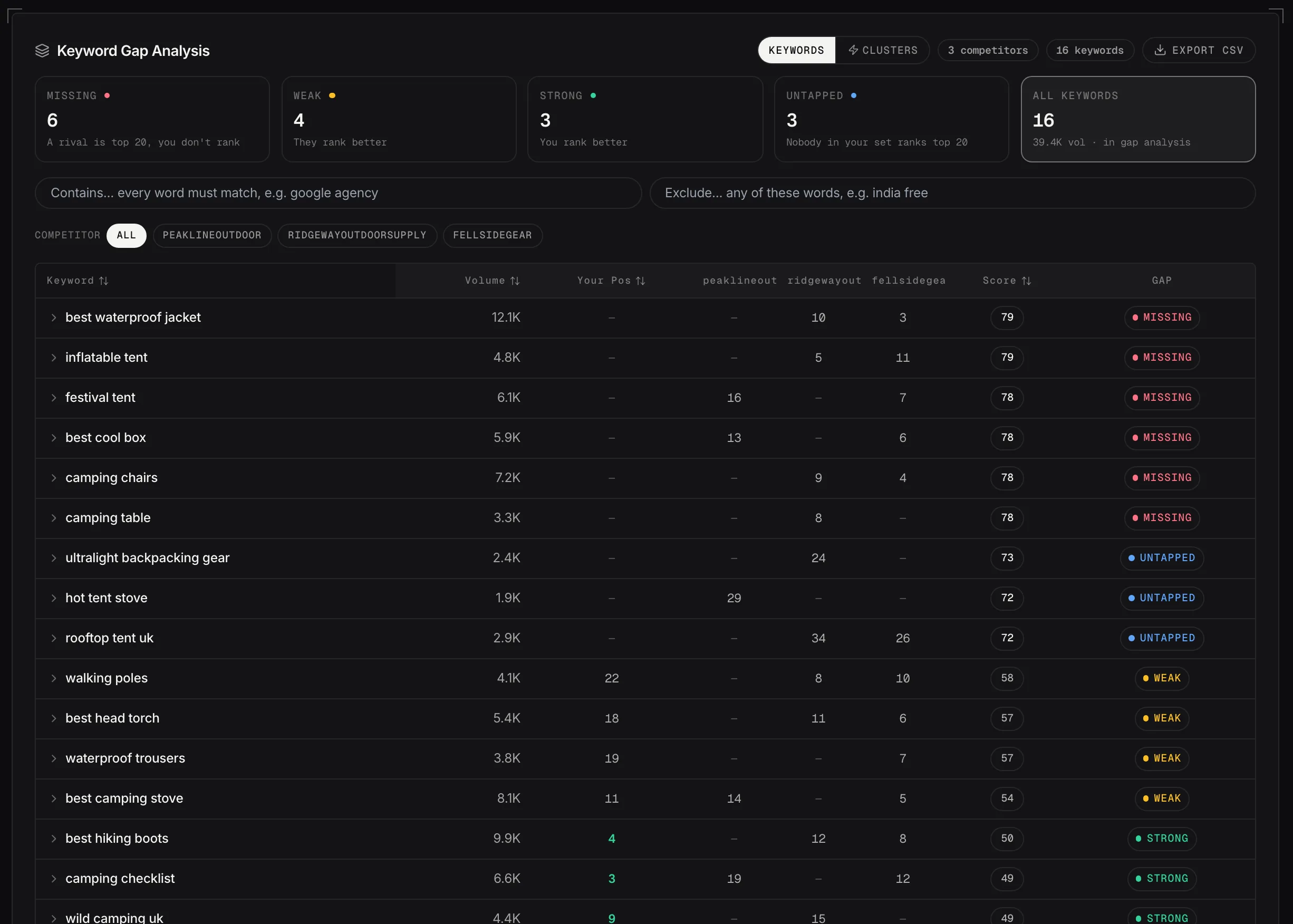
The keyword gap: what each rival ranks for, where you stand, and what kind of gap it is.
Demo dataThe five cards above the table
Each card is a filter, and the number on it is how many keywords match. Click one to narrow the table; click the same one again to go back to everything. They're the quickest way to turn a long list into a decision.
- Missing: you don't rank for it at all and a competitor is in the top 20. The clearest gaps in the table, and the only ones counted in the opportunity volume figure.
- Weak: you both rank, and they're more than five positions ahead of you. Usually a page you already have that needs work, rather than a page you need to write.
- Strong: you rank better than they do. Worth a look before you change anything, because it's the half of the picture nobody checks.
- Untapped: nobody in your set is in the top 20, competitors included. Sometimes a real opening, often a query the results page answers some other way, so read a few before you commit.
- All Keywords: clears the filter. The figure beside it is the total search volume sitting in Missing.
Missing and Weak are the two to work through, and they want different things from you: one is a page that doesn't exist yet, the other is a page that isn't good enough yet.
Keywords or Clusters
The toggle above the table changes what a row is. It opens on Keywords.
- Keywords: one row per keyword, with your position, a column for each competitor, and an opportunity score weighing volume, the size of the position gap, competition and cost per click. Click a row to open it for the close variants, which pages rank, and the actions.
- Clusters: one row per topic, with the keywords grouped by what they're about. The header carries the keyword count, the combined volume and a breakdown of how many inside are missing, weak, strong and untapped. Open it to see the keywords themselves.
Use Keywords when you're deciding about one query, and Clusters when you're deciding what to write. A single missing keyword rarely justifies a page; twelve of them on one topic usually does, and that's the view that shows you.
Three things change with the toggle rather than just the layout. The competitor filter applies to Keywords only and clears when you switch. Sorting by column is Keywords only, because clusters come back biggest volume first. And Export CSV is Keywords only, because the file is the flat rows.
Clustering needs at least five keywords to group. Below that it says so rather than showing you an empty table.
Narrowing it further
Two boxes and a row of competitor pills sit under the cards, and they stack with whichever card is active.
- Contains: every word you type has to match, so
google agencyfinds keywords carrying both. - Exclude: any word matching drops the row. This is where
free,jobsand the countries you don't sell to go. - Competitor: pick one to see only the keywords that competitor ranks for. The five cards recount themselves against that slice, so you can read one rival's gap profile on its own.
What to do with it
Every row has Ask Advisor, which opens the Strategic Advisor with the question already written and answered from your own data. Nothing is sent until you review it. Content Studio takes it straight to a brief, and where you already have a page ranking, View analyzer issues jumps to what the workspaces have found on it.