Step type 01
Read steps
They look at your data and run without stopping. Each keeps its answer and the checks it ran.
Describe what you need or choose one of 22 templates. The Agent plans the steps, checks your account data and carries out the tasks, turning them into briefs, drafts, worksheets or reports.
The steps come from your objective, business details and this week’s findings. Edit them before you press Start. A second job waits in the queue.
Step type 01
They look at your data and run without stopping. Each keeps its answer and the checks it ran.
Step type 02
Worksheets, briefs, drafts and files wait for your OK. Approve them one at a time, or the rest in one click.
Step type 03
A declined step is skipped, along with anything that needed it. The rest carries on.
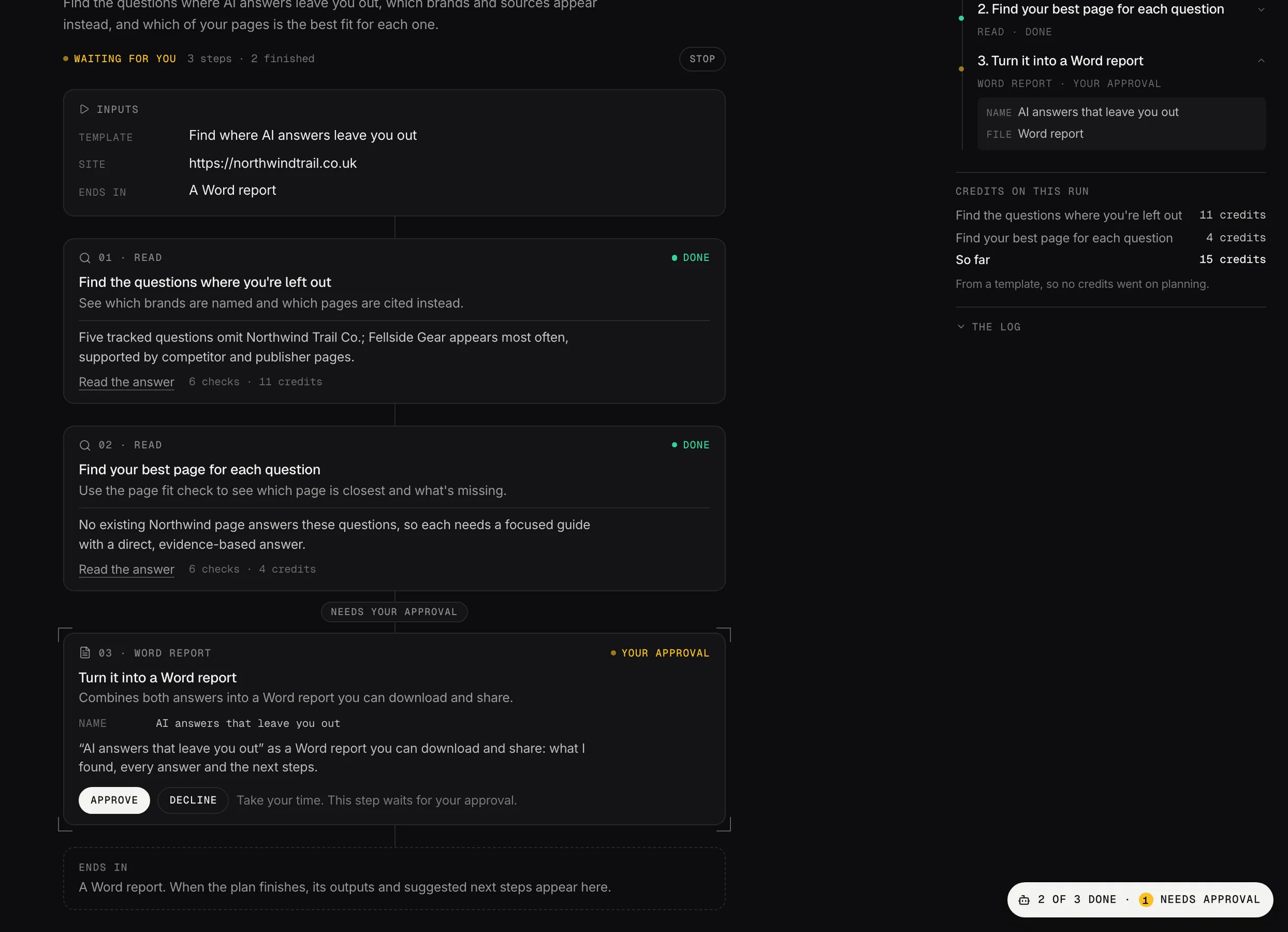
A plan waiting for approval: two Read steps done, the Word report waiting for an OK.
Demo dataOutput 01
One row per page: what to change, why and who does it, linked to the analysis and any drafts.
Output 02
Written in Content Studio and listed in the Content Planner, ready to edit.
Output 03
Word, PDF or PowerPoint, or an Excel workbook of the data behind the answers.
Each shows its steps before it runs. Save any plan as your own.
5 templates
Prioritized fixes for technical issues, schema, internal links and competing pages.
3 templates
Recover pages losing clicks, refresh decaying content and rewrite titles that get few clicks.
5 templates
Pages just off page one, competitor gaps, question searches and high-demand topics.
3 templates
Where AI answers leave you out, how they describe your brand, and pages to make easier to quote.
2 templates
Compare visibility with a competitor and prioritize where they outrank you.
4 templates
Monthly reports, meeting packs and what changed in your clicks.
It works from the same data as the rest of your account, and it’s opening to beta accounts in stages.