Source 01
Strategist proposals
When the Strategic Advisor or PR Strategist proposes a piece of content, it appears in the plan with the evidence behind the recommendation and a route into Content Studio.
Content plans usually live in a spreadsheet nobody updates, next to a tool that has no connection to it.
Content Planner gives you one view of every piece of content work across an account, with most rows created automatically. Strategist proposals, live Content Studio sessions and work you add manually all appear in the same place and follow the same workflow.
| Piece | Stage | Owner | Due |
|---|---|---|---|
| Camping stove buying guide | drafted | Priya | 12 Jun |
| Fuel types explained | in studio | Tom | 18 Jun |
| Winter pitch to Outdoors Mag | sent | Priya | |
| Stove safety data story | cited in AI | Tom | |
| Best stoves for winter | proposed | Priya | 3 Jul |
| Fuel canister recycling | briefed | Tom | 9 Jul |
| Stove maintenance guide | published | Priya |
You don’t have to send work to the planner. It builds the plan from activity already happening across the account.
Source 01
When the Strategic Advisor or PR Strategist proposes a piece of content, it appears in the plan with the evidence behind the recommendation and a route into Content Studio.
Source 02
Anything started in Content Studio appears with its live status, from briefed to drafted. Nobody has to remember to add it.
Source 03
Add work happening outside Searchscope to the same plan, so it covers the full content program rather than only the work Searchscope can see.
Searchscope sets the stages it can detect from the drafting session itself. You record the stages Searchscope can’t see, like whether a piece was sent or published. That keeps automated statuses separate from the stages only your team can confirm.
proposed a strategist suggested itdetected
in studio a session is opendetected
briefed the brief is readydetected
drafted a draft existsdetected
sent you sent it to the clientyou record
published live, with the URLyou record
cited in AI an assistant cited the pagechecked
01
Searchscope detects whether a piece has a Content Studio session open, whether the brief is ready and whether a draft exists. These statuses come directly from the session, so the planner updates as the work moves forward.
02
Record when a piece is sent or published, including the live URL and publication date. Owner, due date, project and content type can be edited directly in the plan.
03
Once a published URL is added, Content Planner can check it against your AI citation runs. Run the check, and any page an AI assistant has started citing is marked as cited with the date.
Searchscope proposes objectives from your account data, then suggests content against the objectives you choose. You can also fill the plan by hand. The generator is a three-step wizard rather than a single button.
Step 01
Objectives come from your own data: Search Console movement, content decay, demand clusters, opportunities and citation gaps. If an objective includes a number that isn’t supported by the underlying data, the objective is removed and the wizard shows how many were dropped.
Step 02
Choose the objectives it should serve, name the project, and set how many pieces to propose, up to eight in a run.
Step 03
Every proposed piece goes through the same validation as a strategist proposal. Anything that fails is listed with the reason instead of being silently replaced.
Press releases, pitch emails, guest posts and data stories are filtered as PR. Everything else is SEO. It’s one sheet with a filter rather than two plans that go out of step.
Group work into projects to see the number of pieces and next due date for each one. Due and Next fields show what’s late, due today or coming up next.
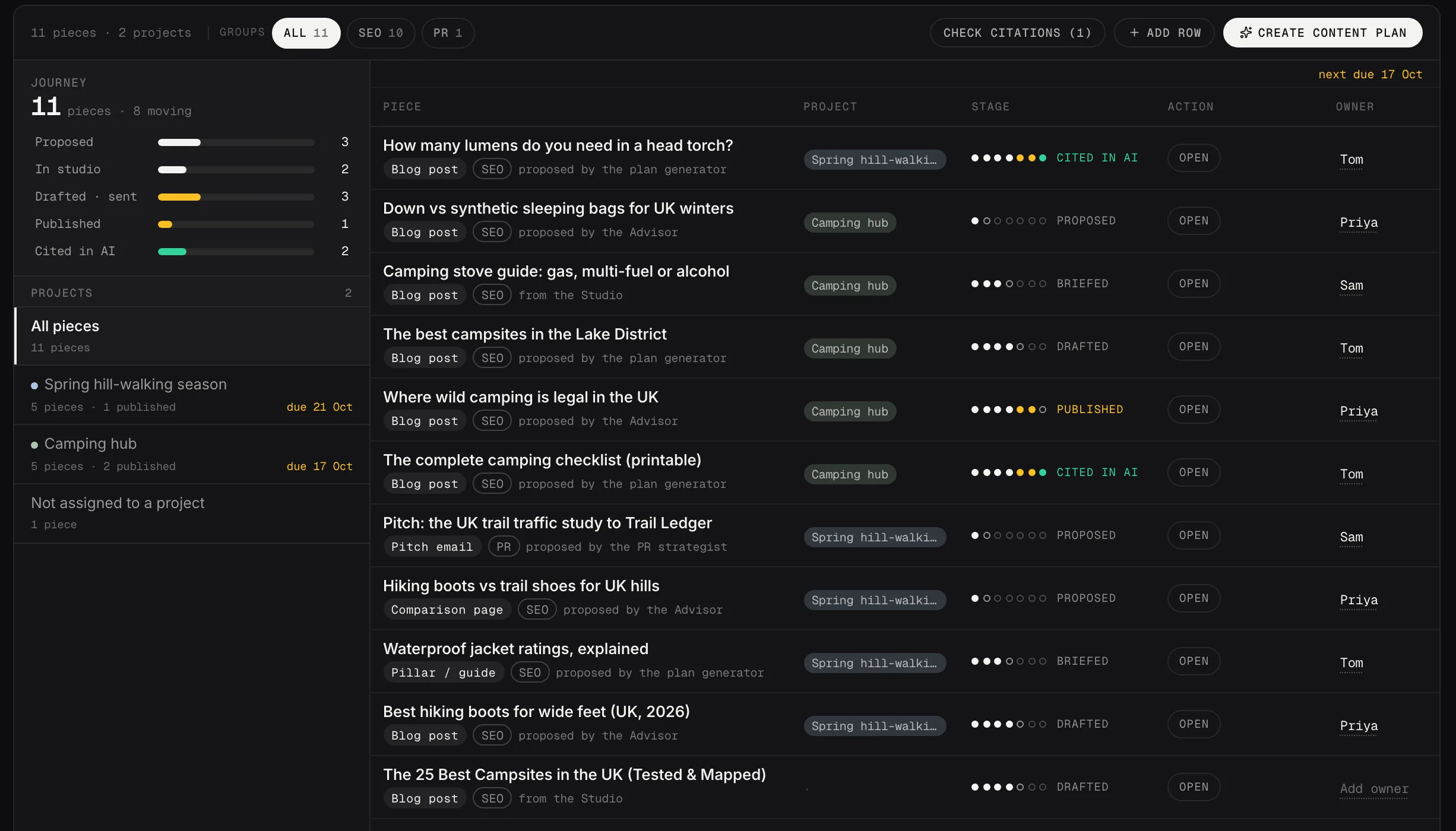
SEO and PR pieces on one sheet, each with its stage, project and owner.
Demo dataConnect your site and Content Planner pulls in strategist proposals and Content Studio sessions automatically. Add the work happening elsewhere, and manage the full plan in one place.