Sign up for beta

Your search data, findings and work in one place.

Connect Search Console and crawl your site. Searchscope adds competitor, demand and AI answer data, then brings the findings into your content, planning and reporting workflows.

Data Pipeline · northwoodoutdoors.com

THIS ACCOUNT

Search data486 days

Site crawl1,204 pages

Findings27 open

Analyzers7 on

RUNS IN ORDER

01 · Search datasynced

02 · Site crawl1,204 pages

03 · Analyzers27 findings

All three steps are up to date.

EACH ANALYZER RUNS ON

Cannibalizationsearch data

Content Decaysearch data

Internal Linkscrawl

Schemacrawl

The four areas

The four parts of Searchscope.

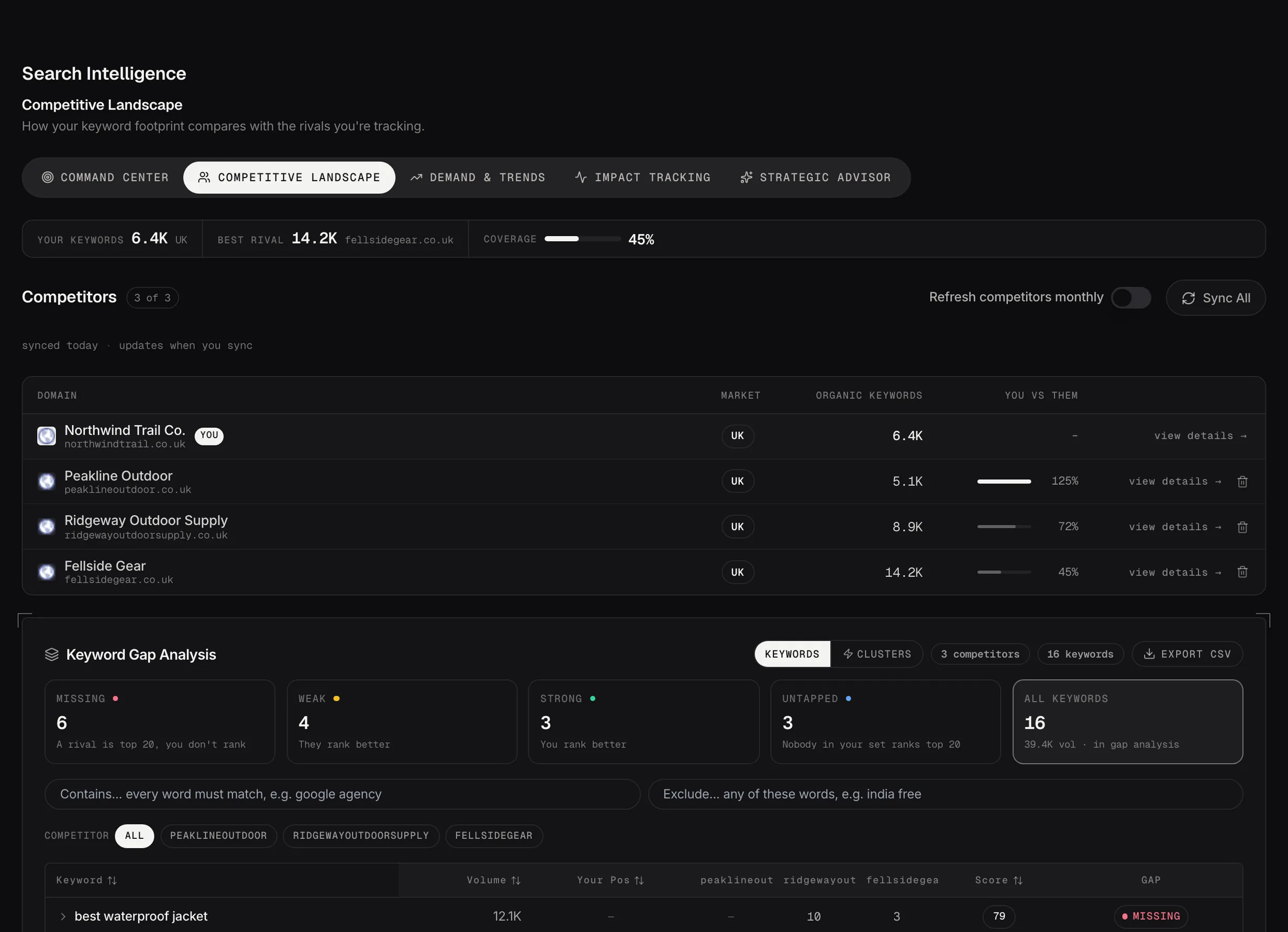
Analyzers find specific issues and opportunities. Search Intelligence adds competitors and market demand. AI and Brand Intelligence adds what the assistants say about you. Instruments are where you do the work.

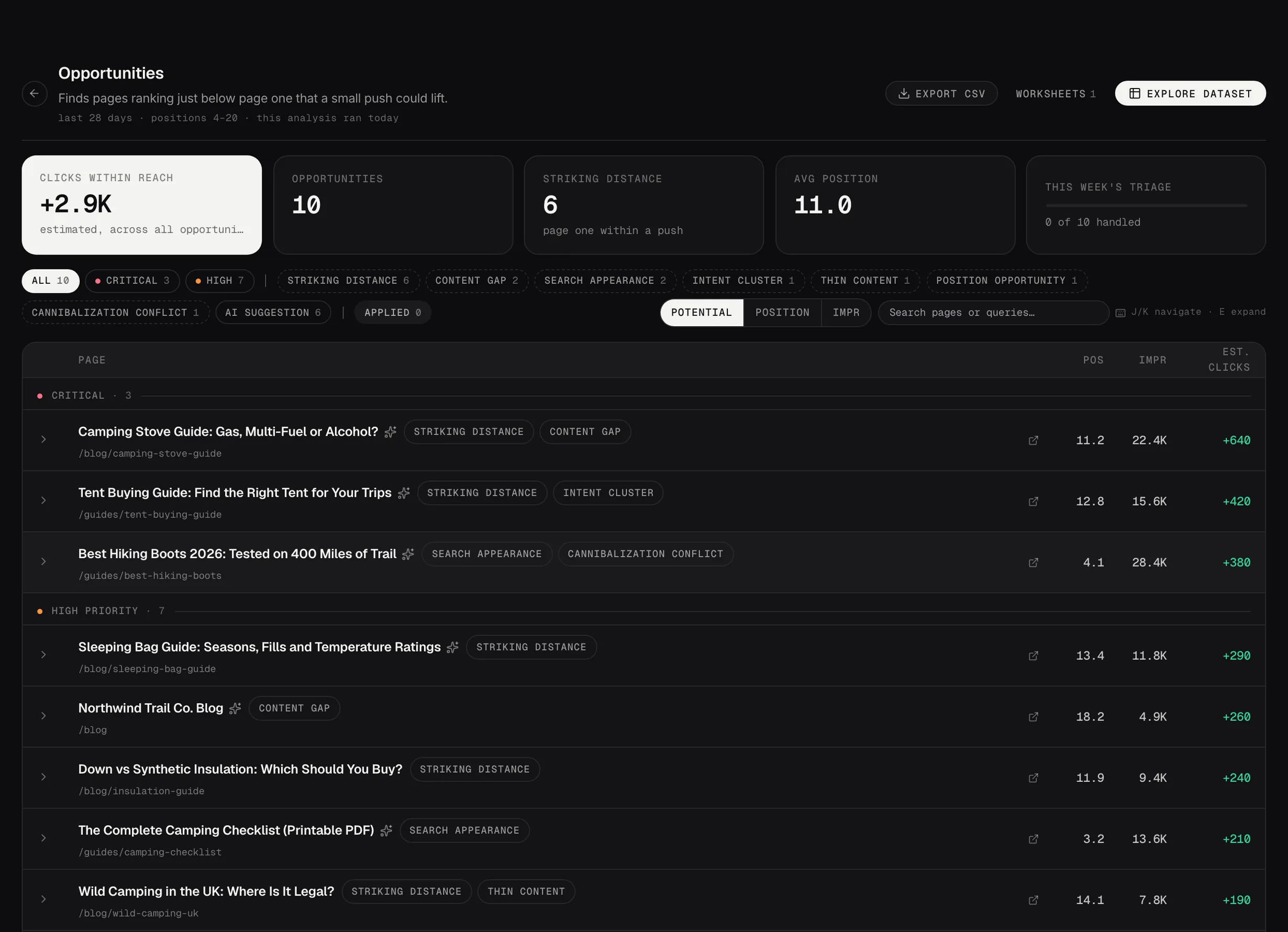
Opportunities: pages close to winning more clicks, with the estimated gain for each.

Area 01

Workspace Analyzers

Find specific issues and opportunities across your search performance and site crawl, with the evidence behind each finding and a recommended next step. Seven of them: Cannibalization, Content Decay, Opportunities, Cluster Volatility, Index Bloat, Internal Links and Schema.

Explore Analyzers

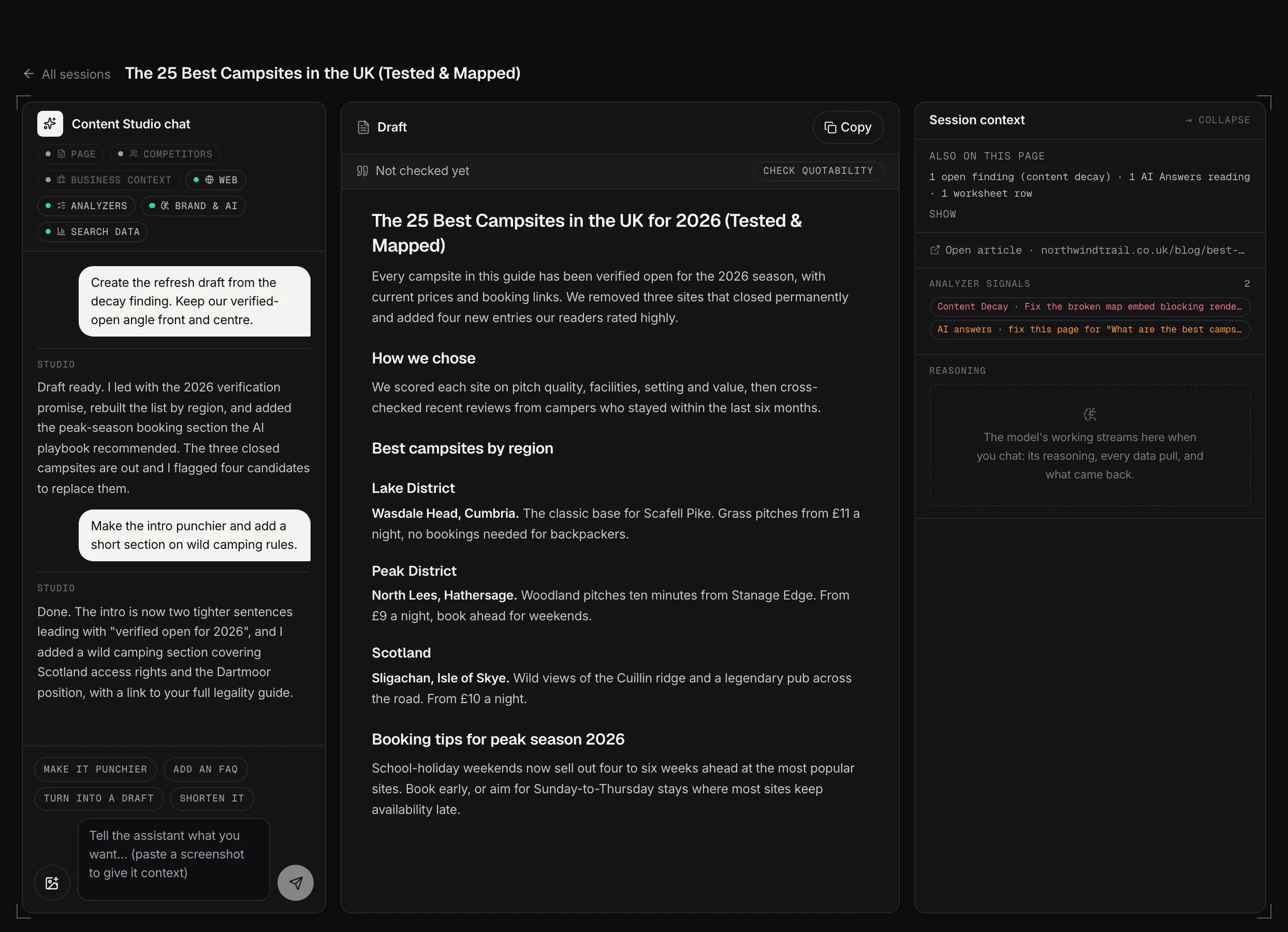
Content Studio: the chat, the draft and the source context side by side.

Area 04

Instruments

Turn findings into work without setting anything up again. Create content, manage the plan, check page health and build reports from the same crawl and search history: Content Studio, Content Planner, Page Experience and Reporting.

Explore Instruments

01 · The shared foundation

Connect Search Console and crawl your site.

Searchscope imports your Search Console performance history and crawls your site. The two are connected at page, query and cluster level.

That’s what lets the analyzers, the advisors, the Agent and the instruments work from the same account. Build it once, and the rest of the platform has it.

Input 01

Search performance

Queries, pages, clicks, impressions and ranking history imported from Search Console, then grouped into clusters.

Input 02

Site crawl

Content, titles, internal links, structured data and technical signals from your own site.

Then

Analysis

Searchscope uses the relevant search and crawl inputs for each analyzer, and writes prioritized findings for the rest of the platform to work from.

The run repeats weekly, on the day and hour you choose, and you can run any step yourself.

Data Pipeline · settings
Sync windowLast 7 daysLast 14 daysLast 30 days
Crawl scopeQuick · 100Standard · 500Deep · 2000
Runyour day and hour, then every 7 days
Backfill30 days90 days365 daysCustom

A sync re-imports the whole window. Search Console finalizes its data late, so the window ends a few days back rather than today.

02 · Prioritized findings

Review the findings that matter.

A broken link on a page nobody visits isn’t the same job as a broken link on a page taking 1,240 impressions. They don’t arrive in the queue looking the same either.

Where search performance is available, Searchscope puts it beside the finding. A fix on a page with real traffic behind it sits above one carrying nothing but a severity label.

When an account has no search data yet, the four analyzers that need it don’t run, and the other three work from the crawl alone.

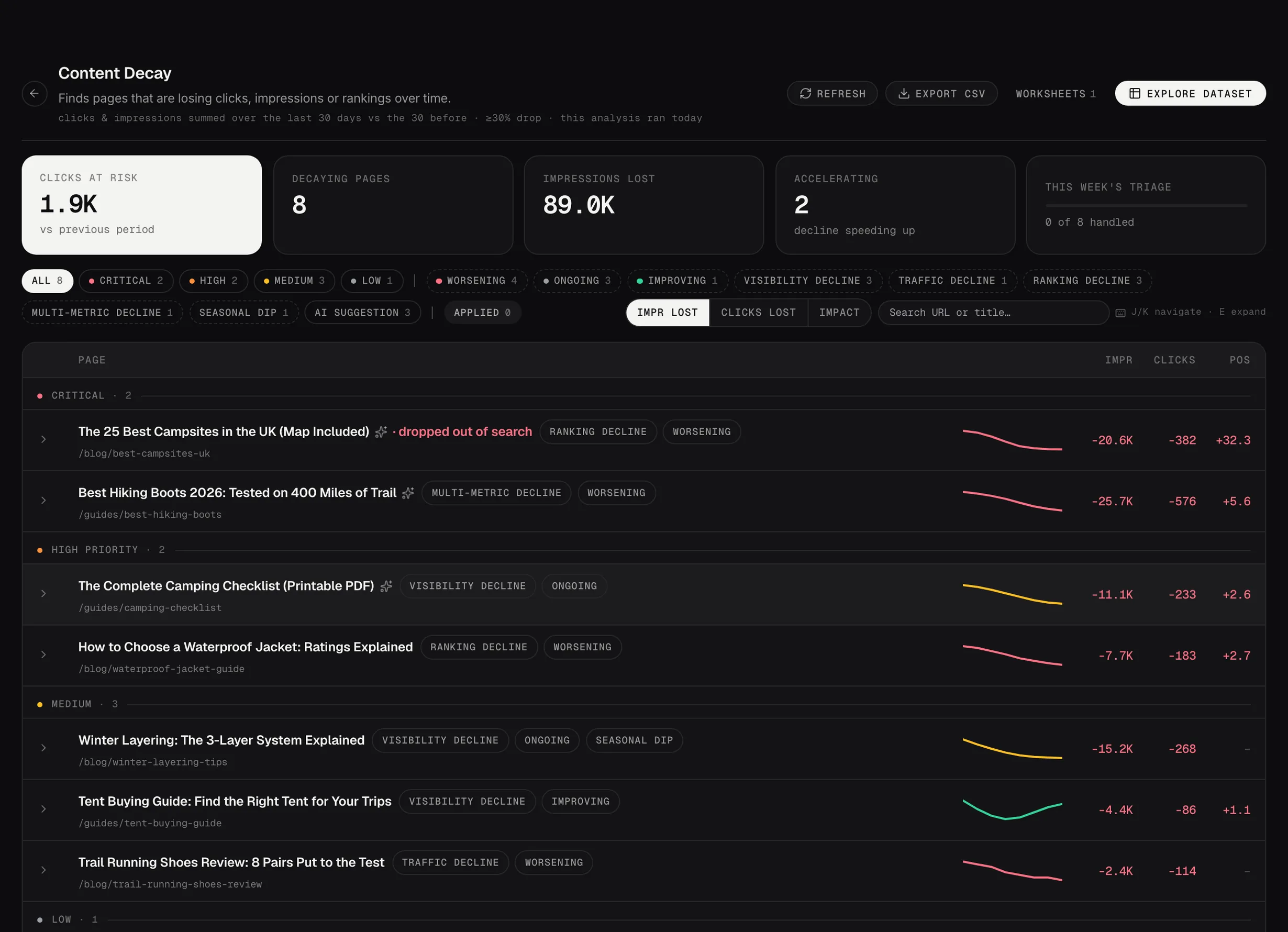
app.searchscope.io/workspaces/decay
Content Decay: pages losing clicks, ranked by severity, with the trend for each.
Fig 1

Content Decay: pages losing clicks, ranked by severity, with the trend for each.

Demo data
03 · The wider search picture

Where the data comes from.

Search Console and your site crawl are the first-party foundation. Searchscope adds external market, competitor, AI and Google page data where your own account can’t answer the question.

Every tool names the source of the numbers on it.

Source 01

Market data

Two of them run on licensed data: Demand & Trends, and the Competitive Landscape. Both use third-party search volume and competitor keyword coverage, across 92 markets.

Source 02

The assistants

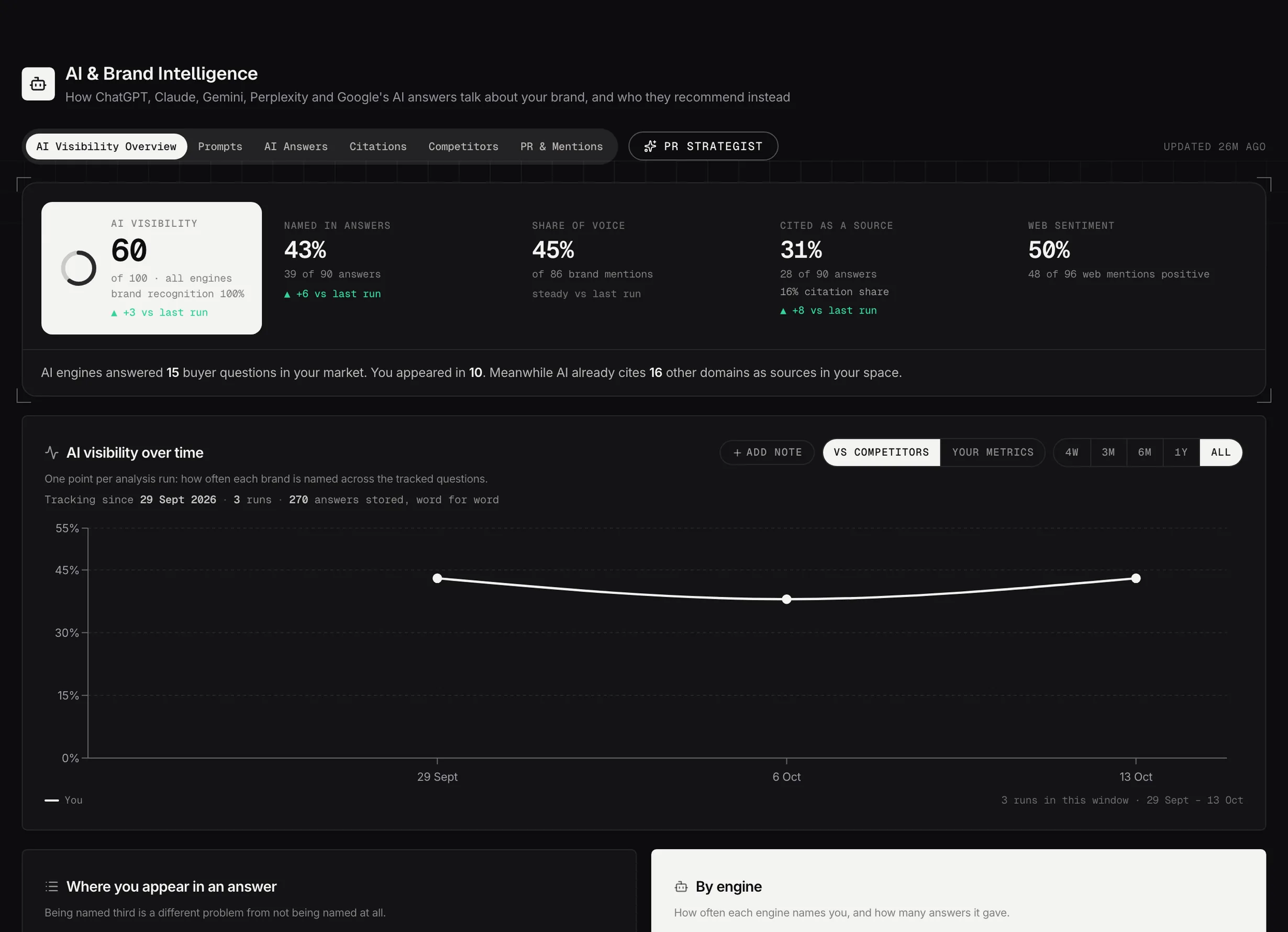
AI and Brand Intelligence asks six assistants the same questions every week and keeps every answer word for word, with the sources each one cited.

Source 03

Live page checks

Page Experience takes its list of pages from the crawl, then runs fresh PageSpeed Insights audits against the live site, and pulls index status from Google’s URL Inspection API.

04 · Advisors, the Agent and instruments

Ask a question or assign a job.

The advisors analyze the evidence already in the account and come back with an answer. The Strategic Advisor draws on search performance, findings, competitors and demand. The PR Strategist draws on brand, media and AI visibility signals.

The Searchscope Agent takes a job instead. It plans the steps and asks before it creates a worksheet, draft or report.

An instrument is a working surface with the page and the evidence already loaded: create the content, plan and track it, check page health, and report on what changed. So a recommendation becomes work without anybody assembling the evidence again.
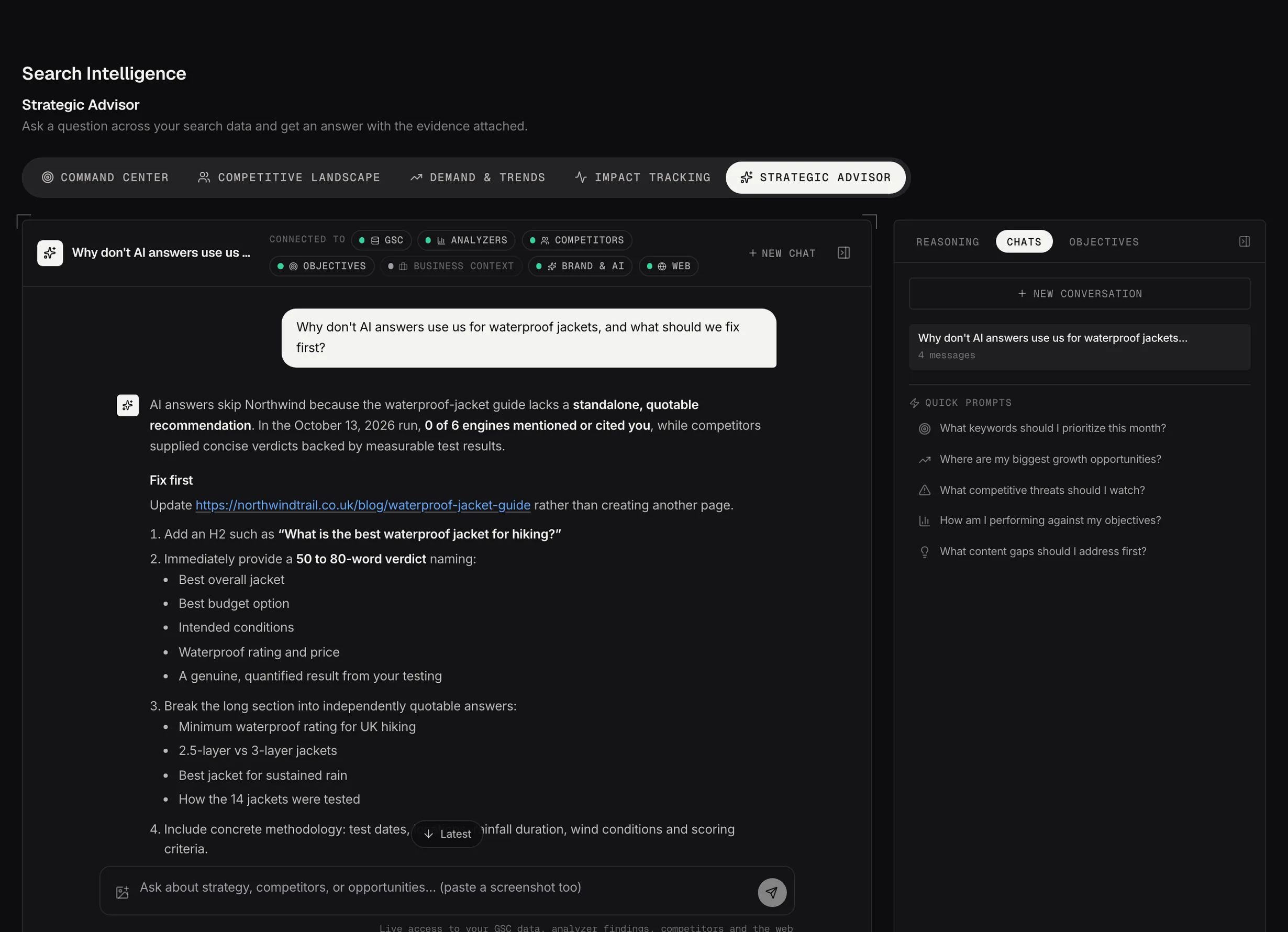
app.searchscope.io/intelligence/strategic-advisor
The Strategic Advisor answering from the account's own data, with its working on the right.
Fig 2

The Strategic Advisor answering from the account's own data, with its working on the right.

Demo data
Join the beta program

Try Searchscope with your own site.

Connect your site and see what Searchscope finds, what deserves attention first, and how a finding becomes content, a plan and a report.

Join the beta